
THINK IT. SAY IT. KEEP IT.
Voice journal app for daily reflections and audio diaries
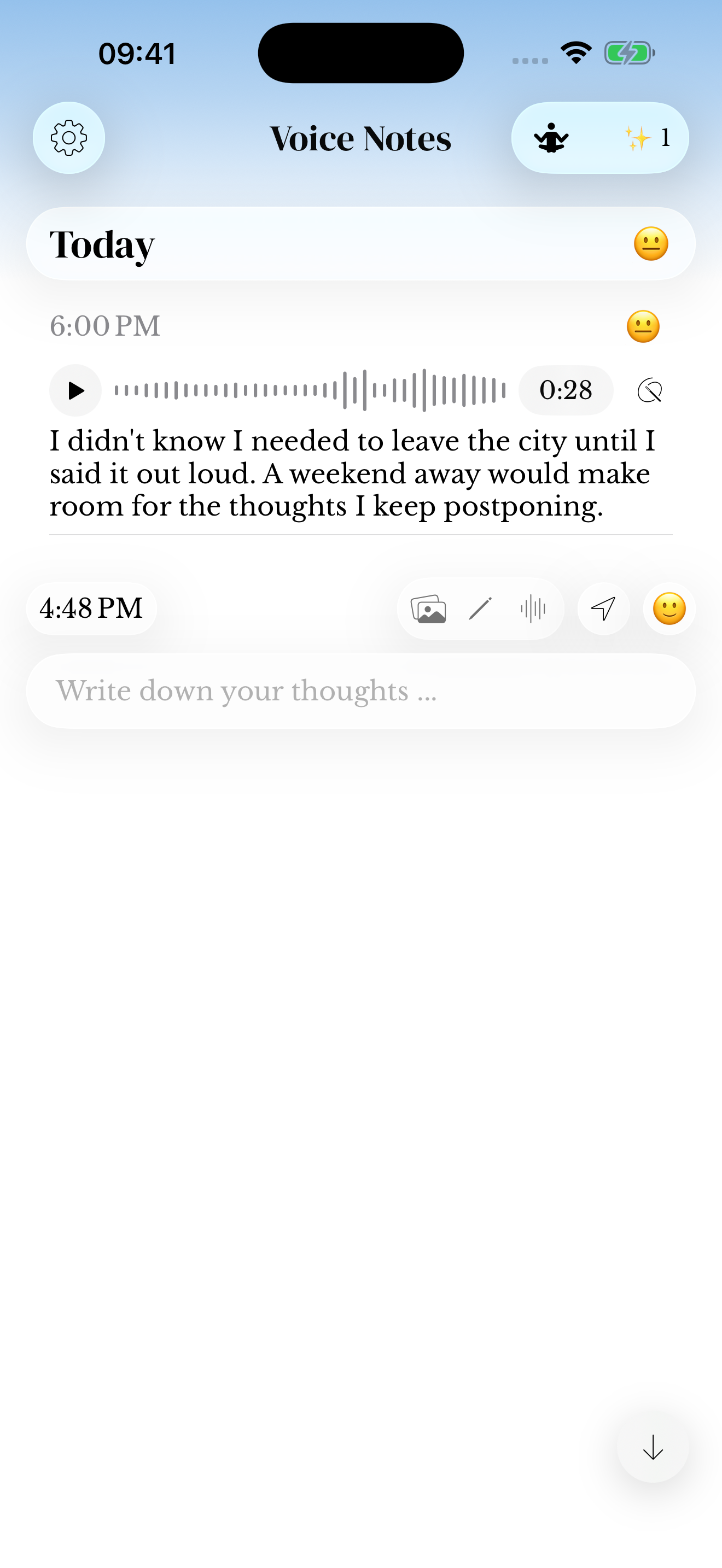
You remember the feeling, but do not want to type it all out. Speak a short reflection into memoir, then keep the original recording and any recognized text with that day in your journal.

For iPhone and iPad. Listed as Memoiri on the App Store.

TRY IT NOW
Record a spoken memory
Say one moment out loud, then decide whether its sound or words matter most.
Choose one moment
Start after a walk, conversation or thought you want to keep.
Record it in your own words
Say what happened, how it felt and the detail you might forget.
Review before you leave
Check the recording and any recognized text, especially names.
A daily reflection you can say out loud
Choose one moment, then say what happened, how it felt and what you want to remember. You can do this after a walk, after a call or before bed. A recording does not have to cover the whole day.
The saved entry keeps a date and a place in your journal. You can listen to your tone again, read any recognized text and add context later. That makes the recording part of a record you can revisit.
A spoken reflection
Took the long way home. The air smells like rain, and I feel a little lighter.
A journal app with voice recording and voice-to-text options
Open the waveform action in the iPhone or iPad composer and allow microphone access. Record your thought, stop, review the result and save the entry. A play control lets you return to the original sound.
For the controls and troubleshooting, follow the voice-entry help guide. You can add or correct written context using the entry editor.
Read it back, or listen to the original
When speech recognition is available and authorized, a transcript gives you another way to read the memory. Names and quiet words can be missed, so replay the original audio when the wording matters. You can correct saved entry text using the entry editor.
Microphone access and Speech Recognition are separate permissions. Recognition depends on the language, service and device conditions. The transcription guide explains what to check if text is missing.
Find the spoken thought again
A recording is easier to return to when it has a few recognizable words. Review its transcript, then add a name, place or phrase in the entry if needed. Later, search for that wording and open the saved entry to read or listen.
For example, a fictional voice entry might mention a “footbridge”. Keep that word in the entry text so you can find the memory again. Search help explains the supported filters. For choosing a format, compare voice journaling and writing.
Capture a thought from your wrist
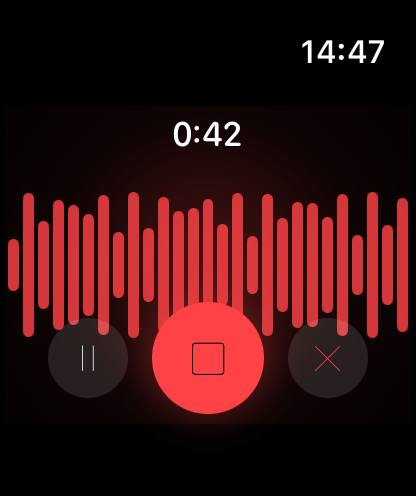
The Apple Watch companion can record a voice memory and transfer it to your paired iPhone. Watch recordings have a five-minute limit; a saved recording may wait for the devices to reconnect before delivery.
Explore journaling on Apple Watch for the wrist workflow, or use Watch transfer help when a recording is pending.
Keep spoken memories on your terms
Journal data stays on the device by default. Choose your app lock, decide whether to enable iCloud Sync and keep an independent backup. A transcript and the original recording are different parts of the memory.
Voice recording, including Watch voice capture, is available without memoir+. Plan help explains the optional features, and the App Store has current prices.
Three things you could record today
A detail from an ordinary place that you might otherwise forget.
Something you wanted to say more clearly after a conversation.
One thing that changed between the start and end of your day. If you want another starting point, browse the journal prompt library.
Questions before you start
How can I use voice memos as daily reflections?
Choose one moment from today and describe what happened, what stayed with you and what you want to remember. In memoir, save the recording as a dated journal entry so it stays with the rest of that day.
What is the difference between a voice diary and an audio journal?
People use both names for keeping spoken entries over time. A voice diary may follow the day, while an audio journal may focus on a thought or question. You can use memoir for either approach.
Can I turn a voice journal entry into text?
Speech recognition can provide text alongside your recording. It needs separate permission, and availability depends on the language, service and device. Review the words and keep the original audio. See transcription help.
Can I record a voice diary on Apple Watch?
Yes. The companion can capture a recording of up to five minutes and transfer it to your paired iPhone. See the Apple Watch journal workflow for recording and delivery details.
How can I start journaling without writing a page?
Record one small memory in your own words: what happened, who was there and the detail you want to keep. Save the voice entry in memoir. You can return to its audio later or review a transcript when transcription is available.