Remember the life
you’re living.

A private journal app for iPhone and iPad. Capture a thought. Find it again.

QR code opening https://memoiri.app/download
Scan with your iPhone
to download memoir.

Choose a view. Explore at your own pace.

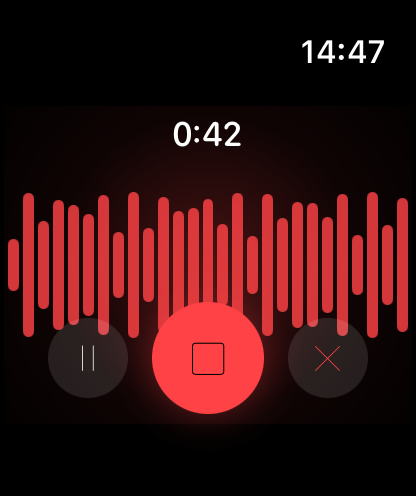
memoir on Apple Watch recording a voice entry, with waveform, timer, pause and stop controls
Capture a moment, your way.Sample entries shown. Your journal is your own.

What people say
about memoir.

Selected App Store reviews

“Really nice journaling app. I love how simple and clean the experience feels, while still having useful features like mood…”

Shamim H.US App Store

“I like that it focuses less on perfect writing and more on being present and noticing patterns over time”

BrooklynKid99US App Store

“The app has a really easy and simple concept. The emoji system is very satisfying and adds some extra reflecting…”

stop taking the name godUS App Store

“Clean, simple, and encouraging!”

maxmatthews_US App Store

01 / CAPTURE

Your journal,
however life happens.

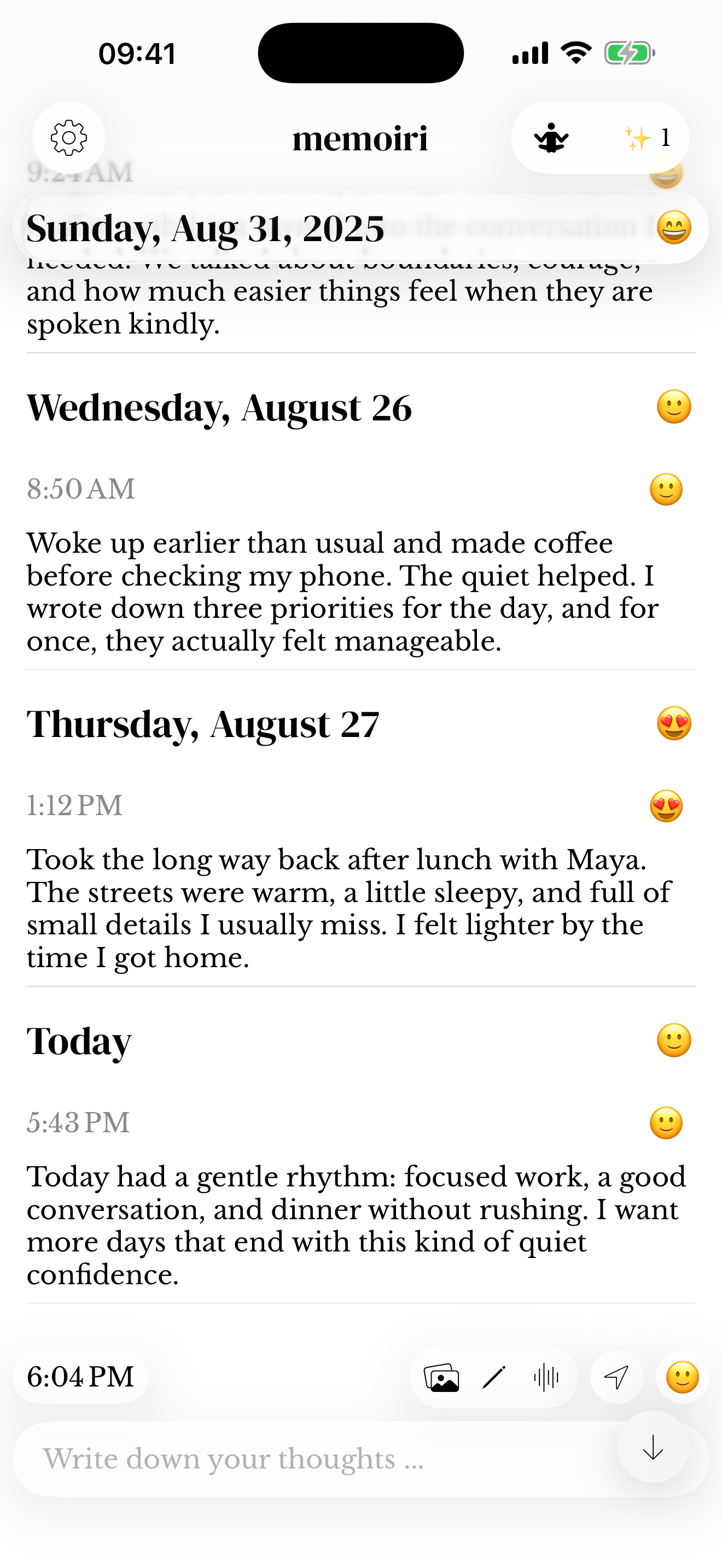
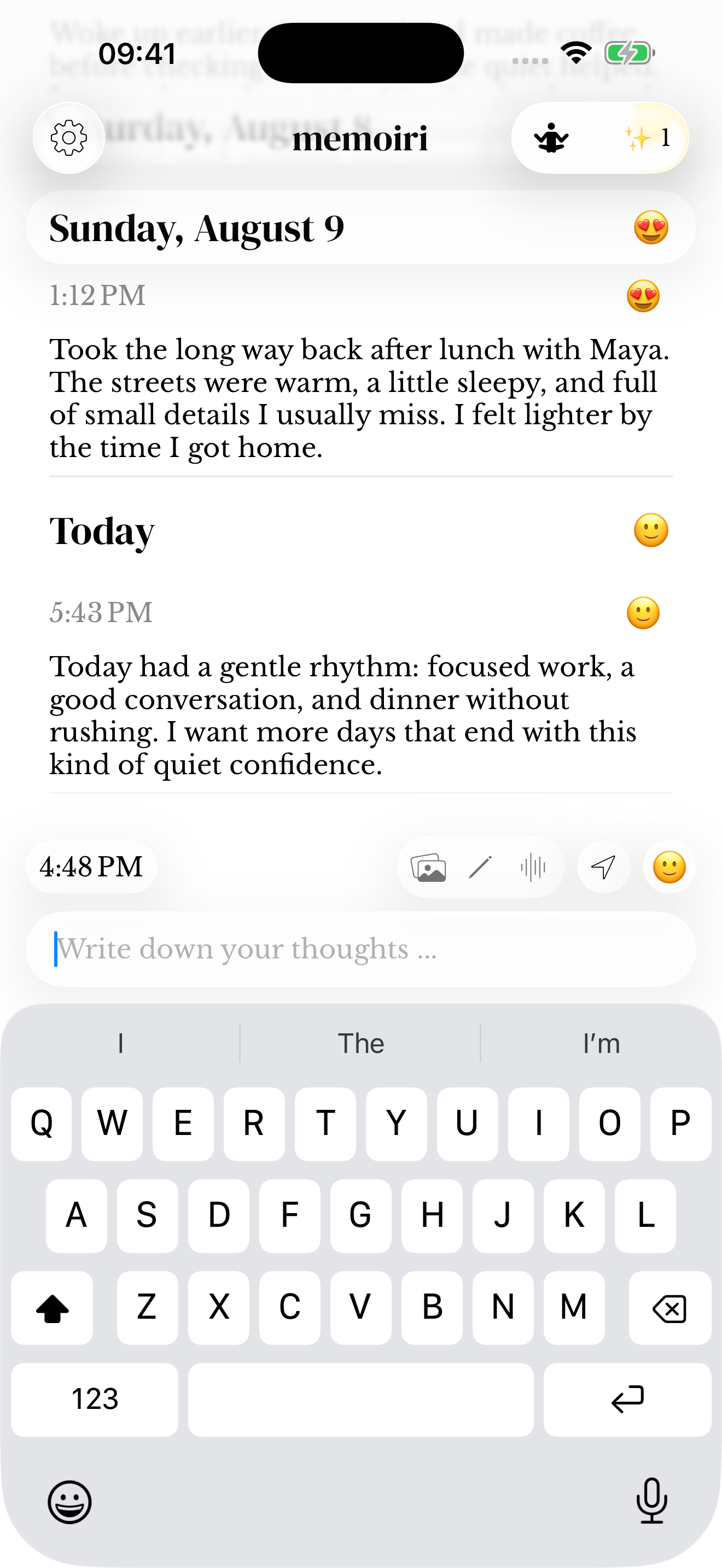
Write one line, build a photo journal, sketch, track your mood or record a voice journal entry while the moment is still fresh. Memoir adds the date and details automatically, so there is less to fill in.

Not sure what to write in a journal? Start with one line.

Keep one detail from today. Stop after a sentence or continue when you have more to say.

Today🙂

We talked until the coffee went cold.

A one-line journal entry.

Capture the everyday
An illustrative scene of a woman speaking into her phone on a tree-lined walk

Took the long way home. The air smells like rain, and I feel a little lighter.

Download on the App Store
An illustrative scene of a man smiling with surprise as he rediscovers a memory on his phone
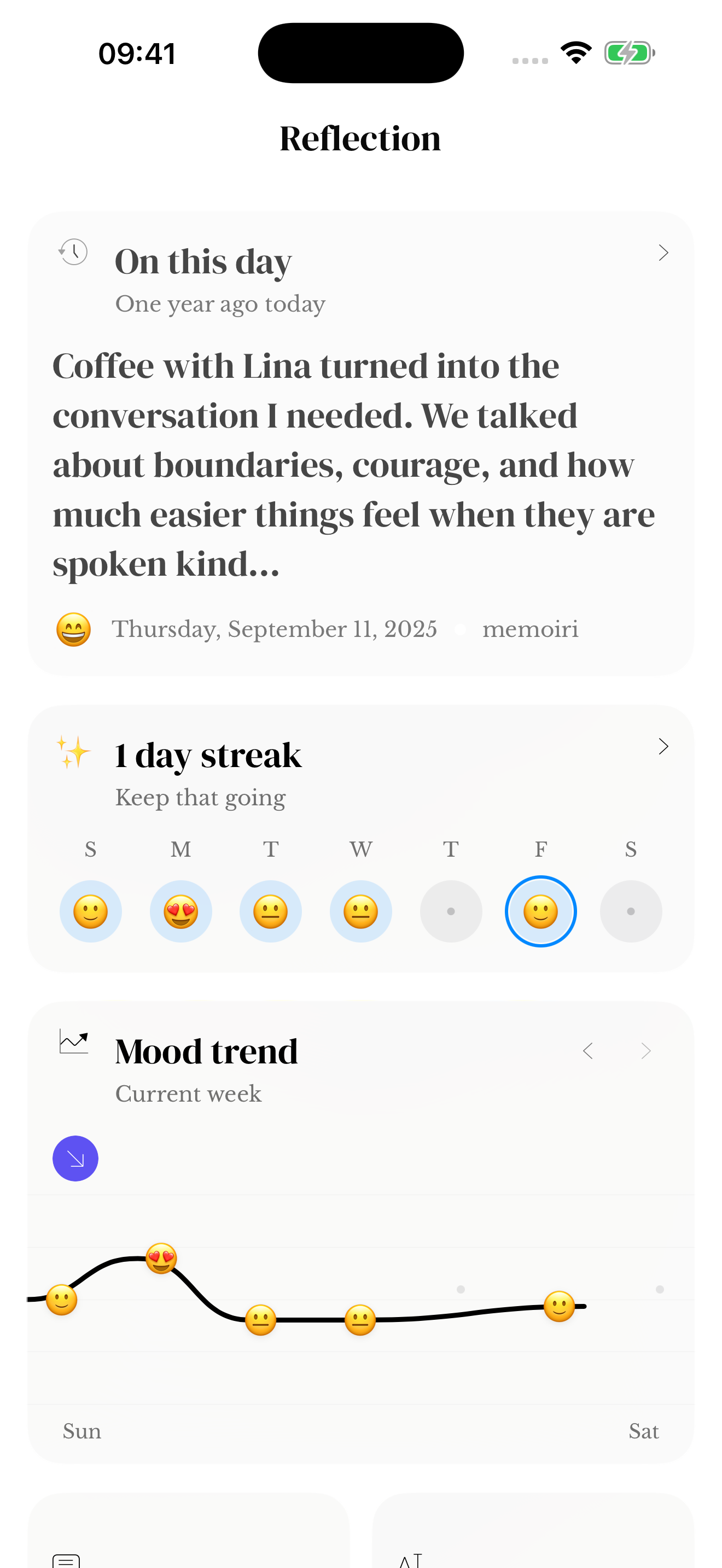
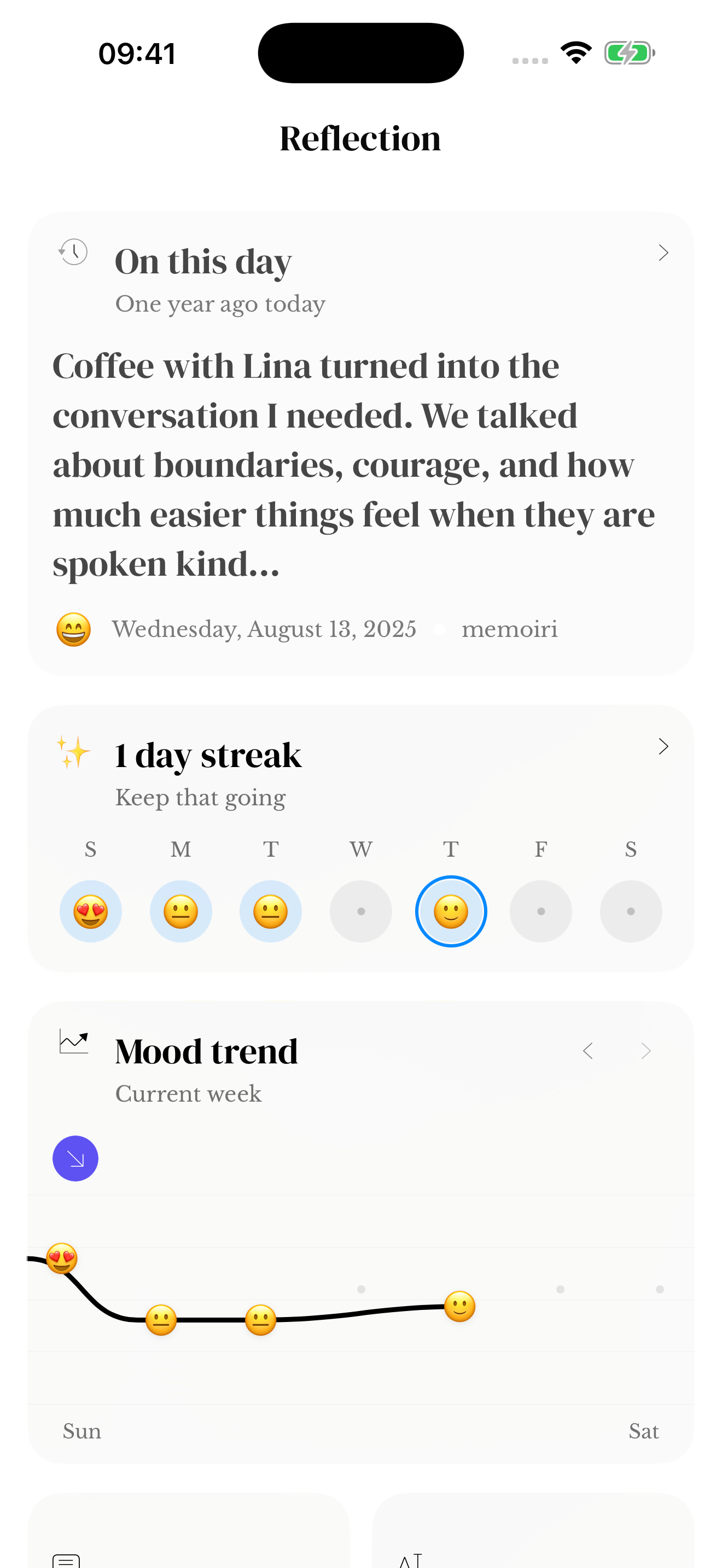
The memoir Reflection screen showing an On This Day memory, mood check-ins and a weekly mood trend, using sample data
A past entry, brought back.
Illustrative scene and app screen with sample data.

02 / REFLECT

Turn daily journal entries
into reflection.

Memoir brings past entries back, shows mood changes and creates recaps from the moments you capture. On-device intelligence helps you notice people and themes, with reflection processed on your device.

  • Remember what would have faded.

    On This Day brings back journal entries from this date in earlier years.

  • Notice what keeps returning.

    Explore mood changes, people and themes across the moments you record.

Explore reflection
Download on the App Store

03 / FIND

Find the memory,
even without the date.

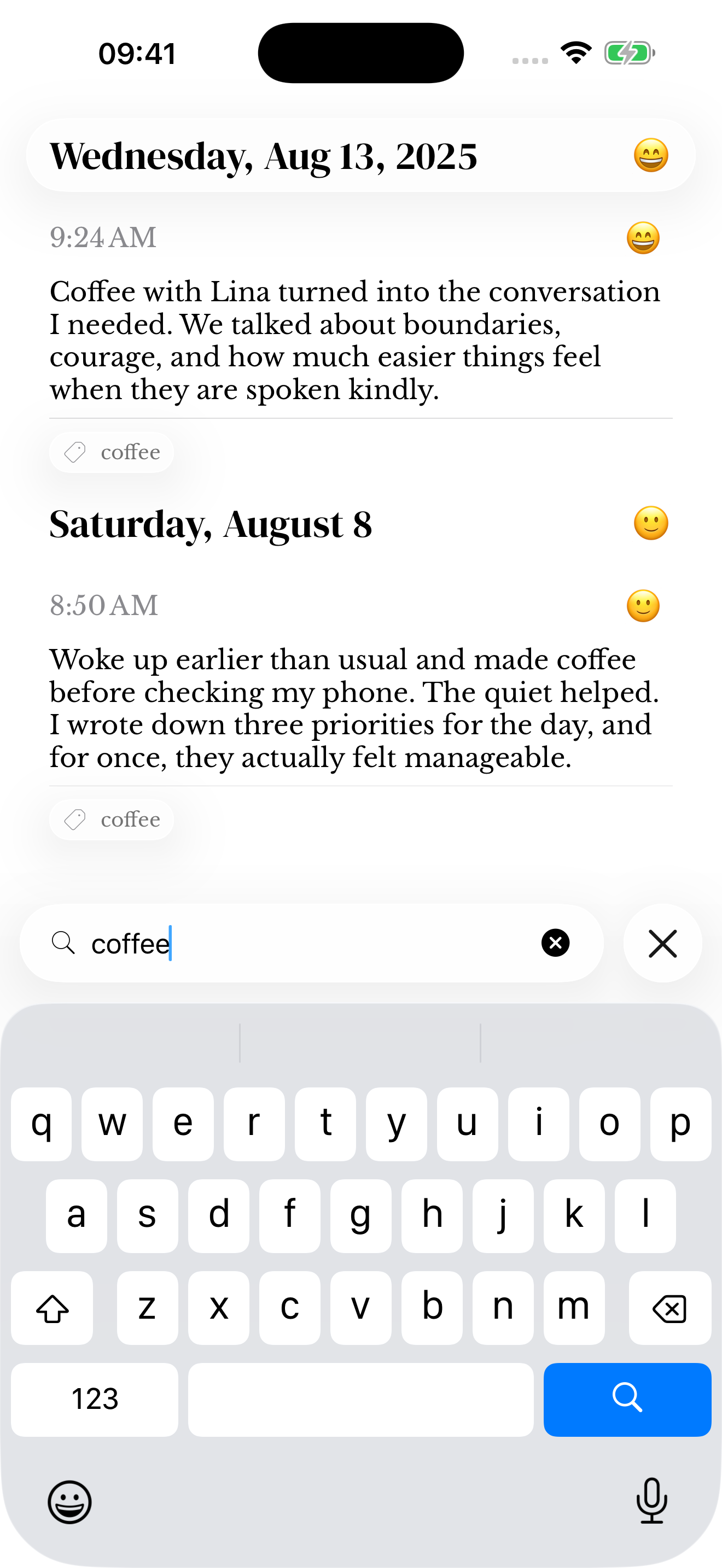
Search your journal with the details you remember, such as “dinner two weeks ago,” “last summer” or “coffee with Lina.”

dinner two weeks ago last summer coffee with Lina

A person, place, mood, photograph or half-remembered phrase can be enough. Narrow the results and return to the original entry.

See how journal search works
Download on the App Store
An illustrative scene of a woman searching on her phone for a moment she remembers
The app’s search for coffee returning two journal entries, including a conversation with Lina, using sample content
From “coffee” back to the conversation.
Illustrative scene and app screen with sample entries.

Why choose memoir?

memoir, Day One and Apple Journal
What matters to youmemoirDay OneApple Journal
Record voice notes✓✓✓
Photos and sketches✓✓✓
Record voice notes on Apple Watch✓✓
Memories from this day in past years✓✓
Automatic memory recaps✓
Monthly mood calendar✓
Life areas at a glance✓
Automatic people tags✓
Edit entries right in the timeline✓
Search in everyday language✓

Swipe or scroll the table to compare.

Start free.
Make room for more.

Included for free

0 to get started

  • Text entries and mood check-ins
  • Voice notes, including Apple Watch
  • Local storage on your device

memoir+

  • Photos, stickers and sketches
  • Personal iCloud sync
  • Memory Recaps, mood trends and connections
  • Writing styles and custom prompts

Monthly and yearly plans. Your local price and renewal terms appear before purchase.

See what is included
Download on the App Store

A few things to know.

Can I use memoir for free?

Yes. Write entries, log moods and record voice notes without a subscription. Photos, sketches and iCloud sync are part of memoir+.

Where are my entries stored?

On your device by default. Optional personal iCloud sync is included with memoir+. You can protect the app with a passcode or supported device authentication.

Can I bring entries from another app?

memoir imports compatible memoir backups. Direct import from Apple Journal or Day One is not currently supported.

Questions about memoir? Read the FAQ.

Fresh from the blog.

View all articles

Hi there,

I started building memoir because ordinary days disappear faster than we expect. A photo can preserve the scene, but a few words or your voice preserve why it mattered.

Memoir should fit into the life you want to remember, without turning journaling into another task on your list.

Mohammad

Someday, you’ll be glad
you started today.

Your first daily journal entry can be one sentence.
Start with something from today you want to remember.

Download on the App Store
QR code opening https://memoiri.app/download
Scan with your iPhone
to download memoir.

Free to download.