One minute
Keep something small
Capture one detail now, or leave yourself a short handover between tasks.
 memoir.

WAYS TO JOURNAL
Keep a little of today in three simple steps.
A conversation, a feeling or a small detail from today. What would you like to remember?
Write a sentence, record a thought or add a photo in memoir. Start with whatever feels easiest.
Try an entry belowSave your entry in memoir. Return when something is worth keeping, or set a reminder.
Prefer a little structure? Create a journal template or browse journal template examples.
What small detail would I like to remember about today?
Type here, or drop a photo onto the paper.
Sketch with a mouse, finger or pen. In Move photos, drag a photo or select it and use the arrow keys. Up to 5 JPEG, PNG or WebP photos, 10 MB each, and 3,000 characters.
Nothing is uploaded or saved automatically. Save your paper before leaving.
Keep it in memoir: add your saved image or paste your text. Drafts don’t transfer automatically.
CHOOSE BY MOMENT
Start with the time, material or feeling already in front of you. You can use a different kind of journal tomorrow.
One minute
Capture one detail now, or leave yourself a short handover between tasks.
Something to show
Let a photo, sketch or changing family detail carry the memory.
Something to say
Record the thought in your own voice, with your phone or from your wrist.
Something to understand
Explore a mood, an experience or a remembered dream without forcing an answer.
New to journaling? Start with one sentence and a simple daily cue.
A good fit whenYou have one minute and one detail to keep.
See how it works : Daily journaling: one line a dayTry photo, art or nature journaling with an image and a few words.
A good fit whenA photo, sketch or observed detail is your starting point.
See how it works : Visual and creative journalingKeep a daily mood check-in, its context and a monthly calendar.
A good fit whenYou want to remember a feeling together with its context.
See how it works : Mood journalingPrefer talking to typing? Begin a digital journal with a spoken note.
A good fit whenTalking feels easier or more natural than typing.
See how it works : Voice journalingUse a reflection prompt to explore thoughts and feelings in your own words.
A good fit whenA thought or feeling needs more room than a quick check-in.
See how it works : Expressive writingBring workday notes, next actions and feelings into one timestamped log.
A good fit whenYou want clearer handovers between tasks during a busy day.
See how it works : Interstitial journalingSave a spoken memory from your wrist and return to it on iPhone.
A good fit whenA thought arrives while your phone is still in your pocket.
See how it works : Journaling on Apple WatchKeep remembered scenes and feelings with a quick morning voice note.
A good fit whenA remembered scene may fade as soon as the morning begins.
See how it works : Dream journalingSave the meal, the conversation and the story behind a travel photo.
A good fit whenYour travel photos need the voices and details around them.
See how it works : Travel journalingKeep little sayings, everyday moments and the story around a photo.
A good fit whenSmall family details are changing faster than a scrapbook can be finished.
See how it works : Baby and family memoriesTry one small entry at a time. This fictional week shows a few ways to capture a moment, then come back to it. The app screenshots use sample content to illustrate each action. You can skip days or keep using the format you like.
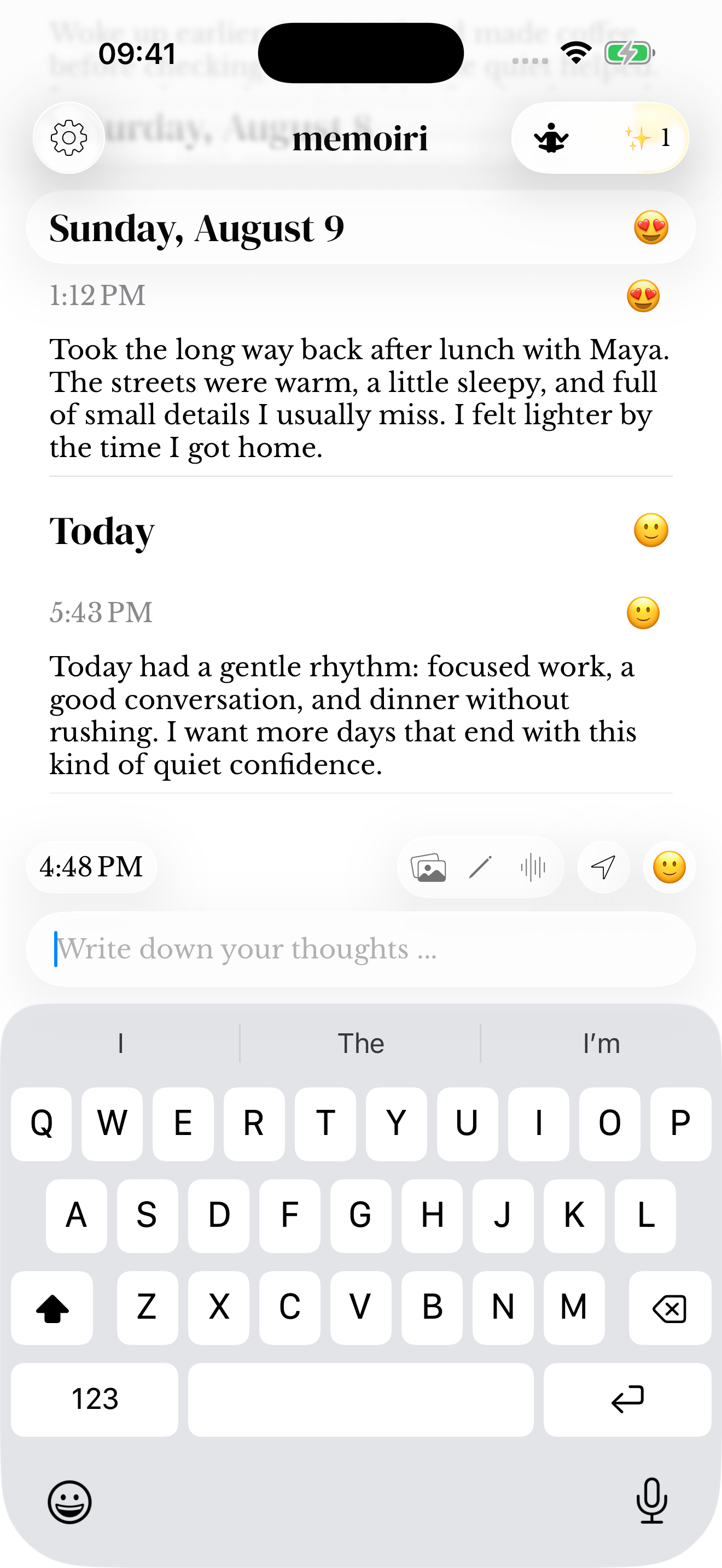
Lina called while I was making tea. We talked until it went cold.
Write a sentence in the composer and save it. The date and time give the memory a place in your journal.
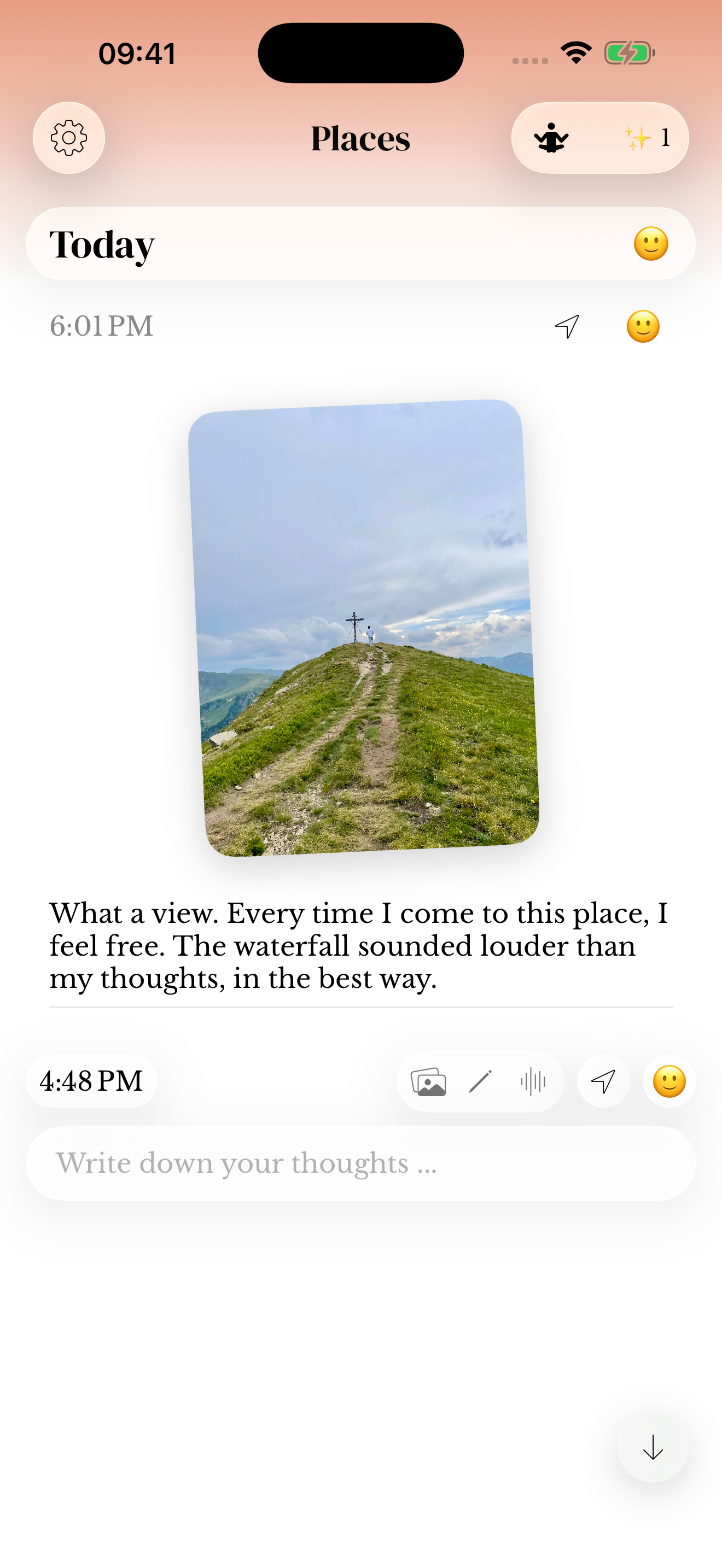
The bakery was almost sold out, but they saved the last cinnamon roll for me.
Add a photo and a sentence about why you took it. The words keep the detail that the picture alone cannot explain.
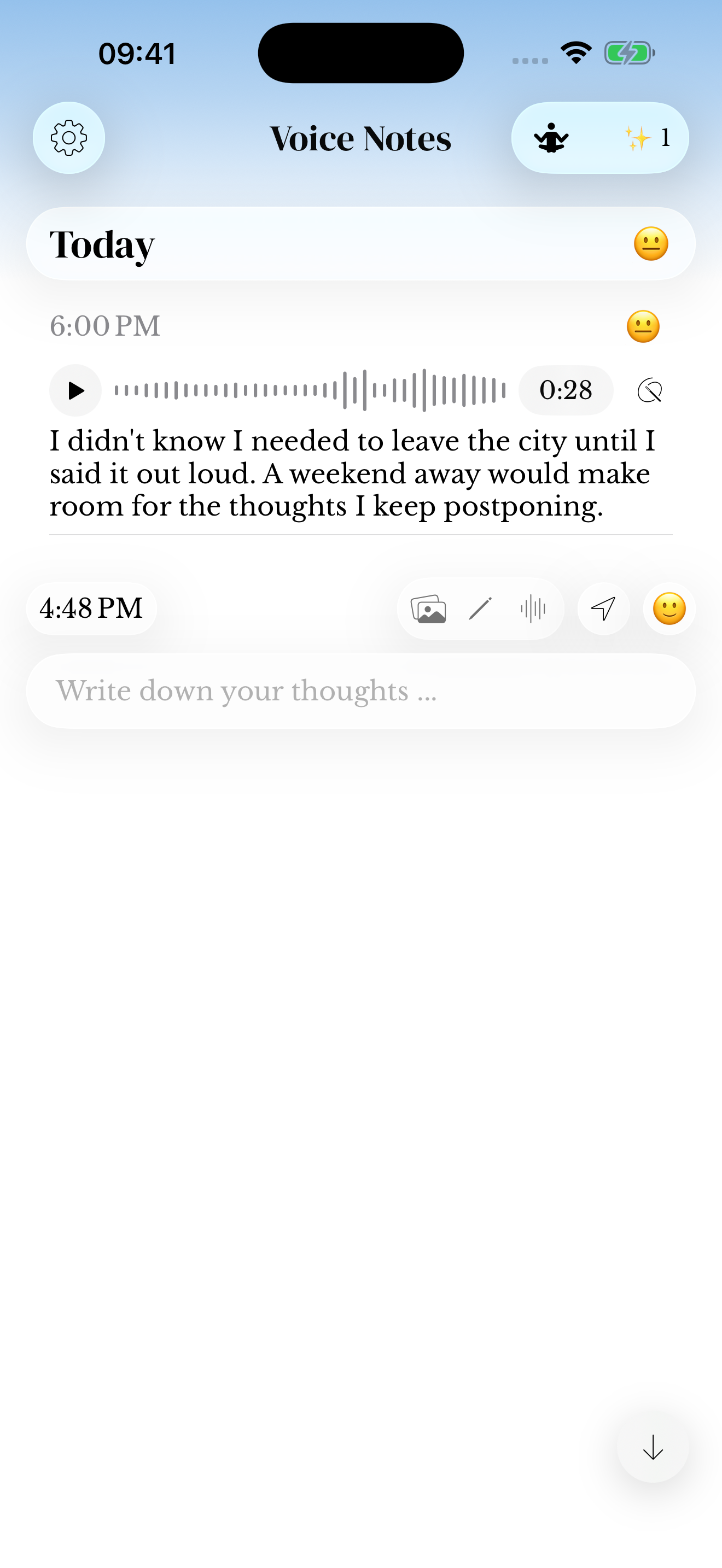
On the walk home I finally worked out how to start the presentation. Open with the customer’s question.
Record a short voice note. If you use transcription, check the resulting words, especially names. Keep the recording when the way you said it matters.
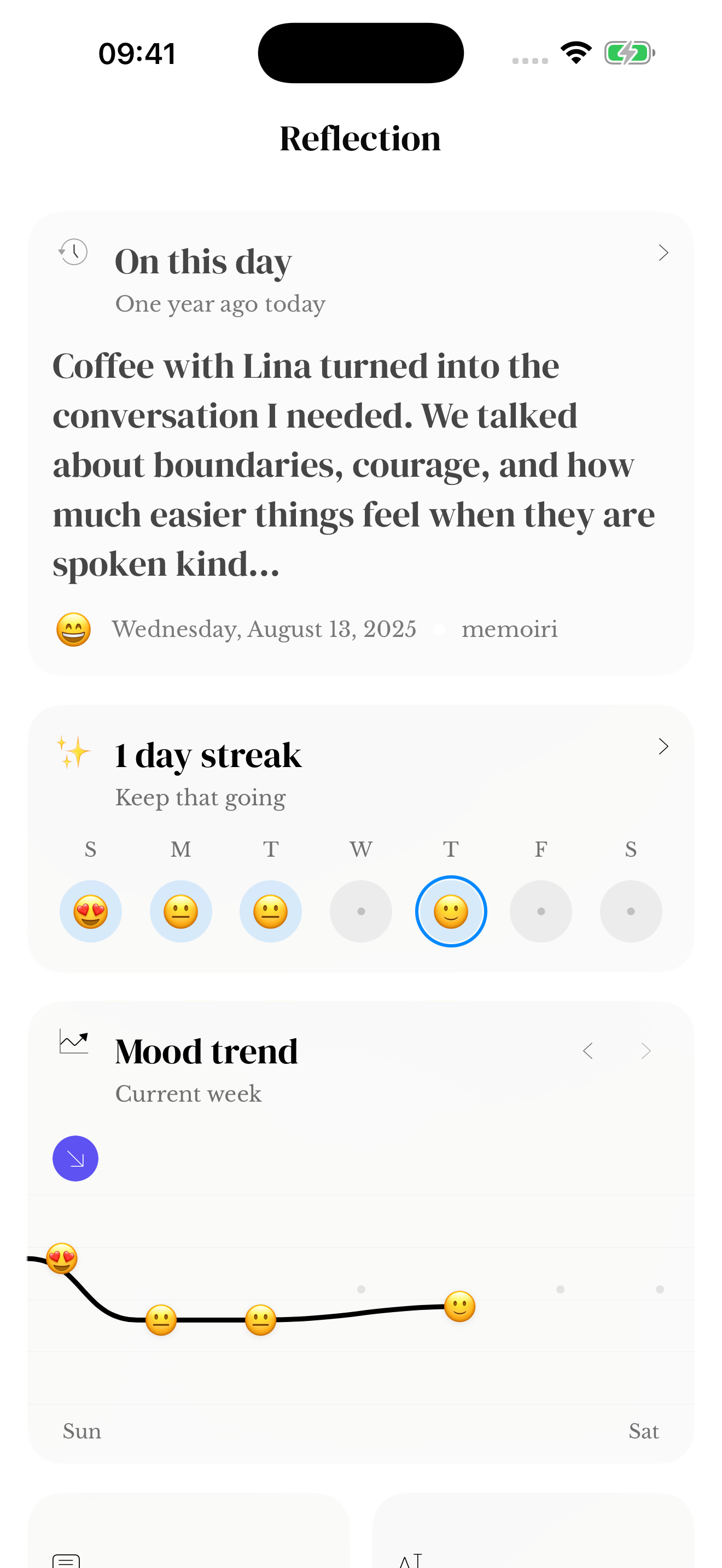
I felt unsettled before the meeting. A walk with Sam afterward helped me slow down.
Choose the mood that fits and add a few words about what happened. Over time, compare recorded moods with the context in your entries.
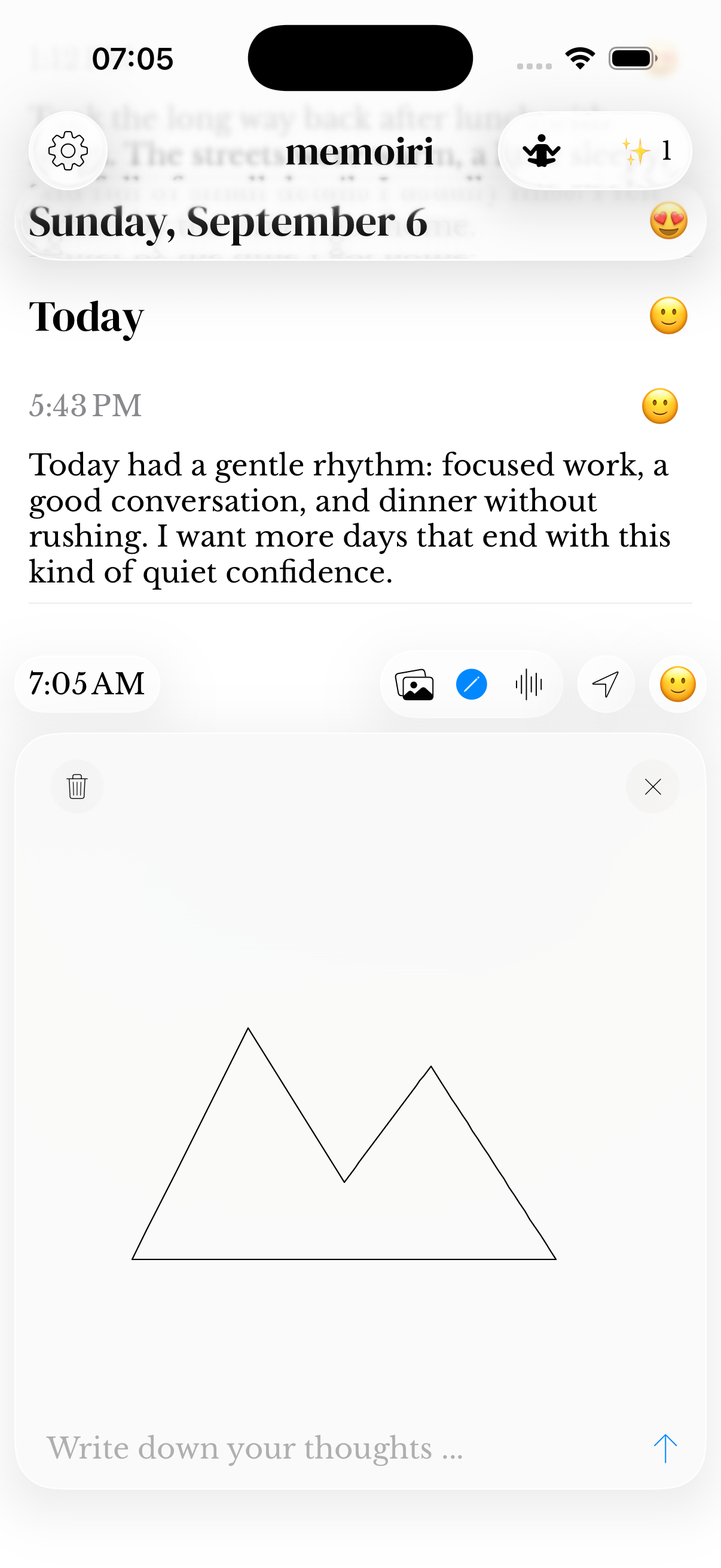
Tried drawing the crooked plant by the window. The new leaf is bigger than the last one.
Draw in a sketch attachment and add a note. You are keeping an observation; it does not need to be a finished picture.
Sam asked how the presentation went. I appreciated that he remembered it mattered to me.
Name one specific thing and why it mattered. There is no need to call the whole day a good day.
I had forgotten that the idea came to me on the walk. I want to leave room for that again next week.
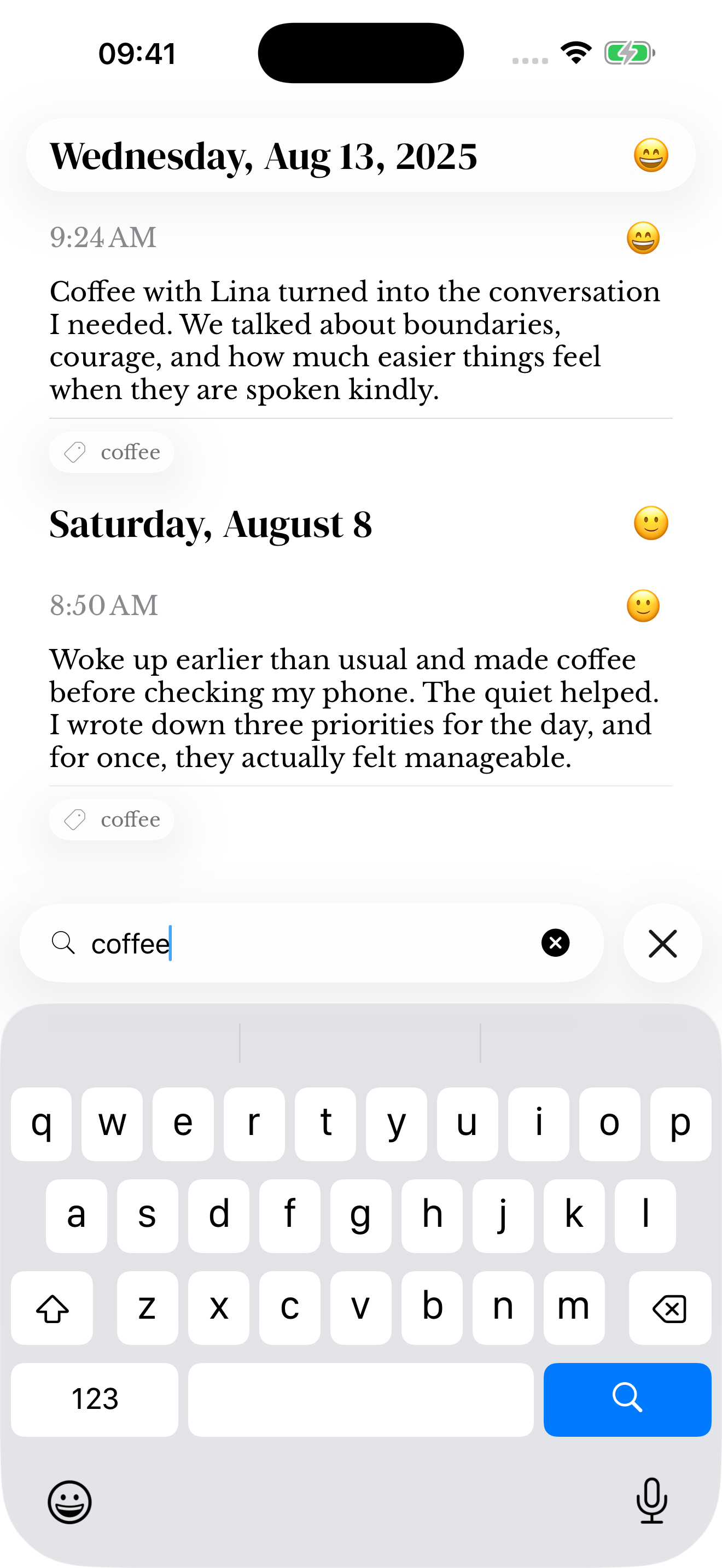
Read back through your entries. Search for a word you used, such as “presentation”, to bring related moments back into view. Write a new thought if something stands out.
Use a question that gives you something to say. Explore beginner prompts, the gratitude journaling guide or the journal prompts library when you want another starting point.
A digital journal can be an app on your device; an online journal usually means an editor you use in a browser. Memoir is an iPhone and iPad app with an Apple Watch companion. Its journal is not a browser editor. You can try the separate website journaling tools online, but they do not synchronize writing into memoir.
You can begin on paper or in an app. In memoir, you can write a note on your phone without buying pens, stickers or a journaling kit. Choose paper if the physical page is part of what you enjoy; choose an app when keeping audio, photos and searchable entries fits your routine.
Think about what you want to capture, how you want to revisit it and the devices you use. Then check storage, export and plan details. Compare digital journaling and paper or voice journaling and writing if you are choosing a format. Our journaling app comparison explains several approaches, and memoir+ help explains access to memoir’s features.
