
ONE SMALL MOMENT IS ENOUGH
One line a day journal app for daily journaling
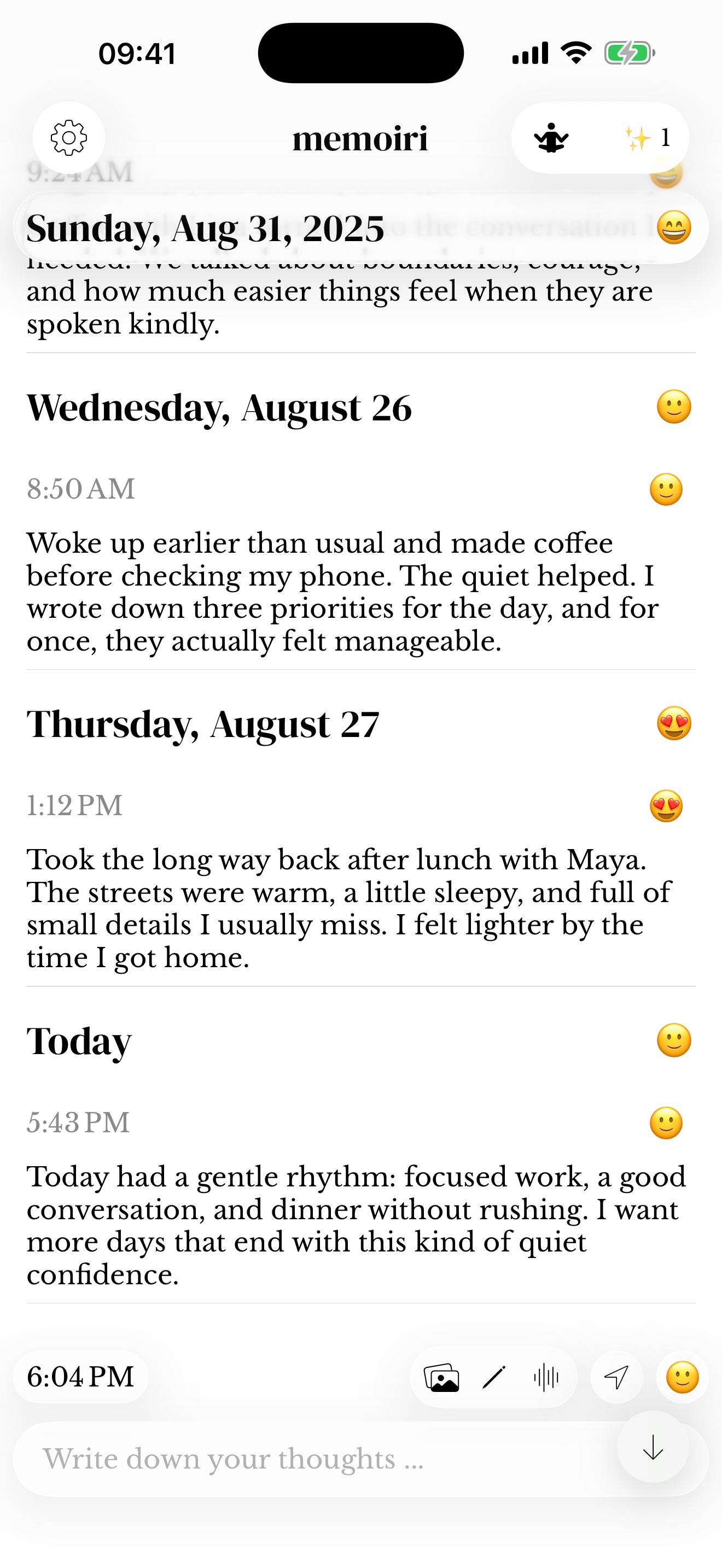
New to journaling? Start with one detail from today. Write a sentence, save it and return when you have another moment to keep. Memoir gives a small daily habit room to grow into longer writing, photos or voice notes.

For iPhone and iPad. Listed as Memoiri on the App Store.

TRY IT NOW
Write one line now
Begin with the smallest complete memory you can save.
Notice one detail
Choose a person, place, sentence or small change from today.
Write one sentence
Name what happened clearly enough that you can recognize it later.
Save and return
Leave it there, or add more only when you want to.
How to start daily journaling as a beginner
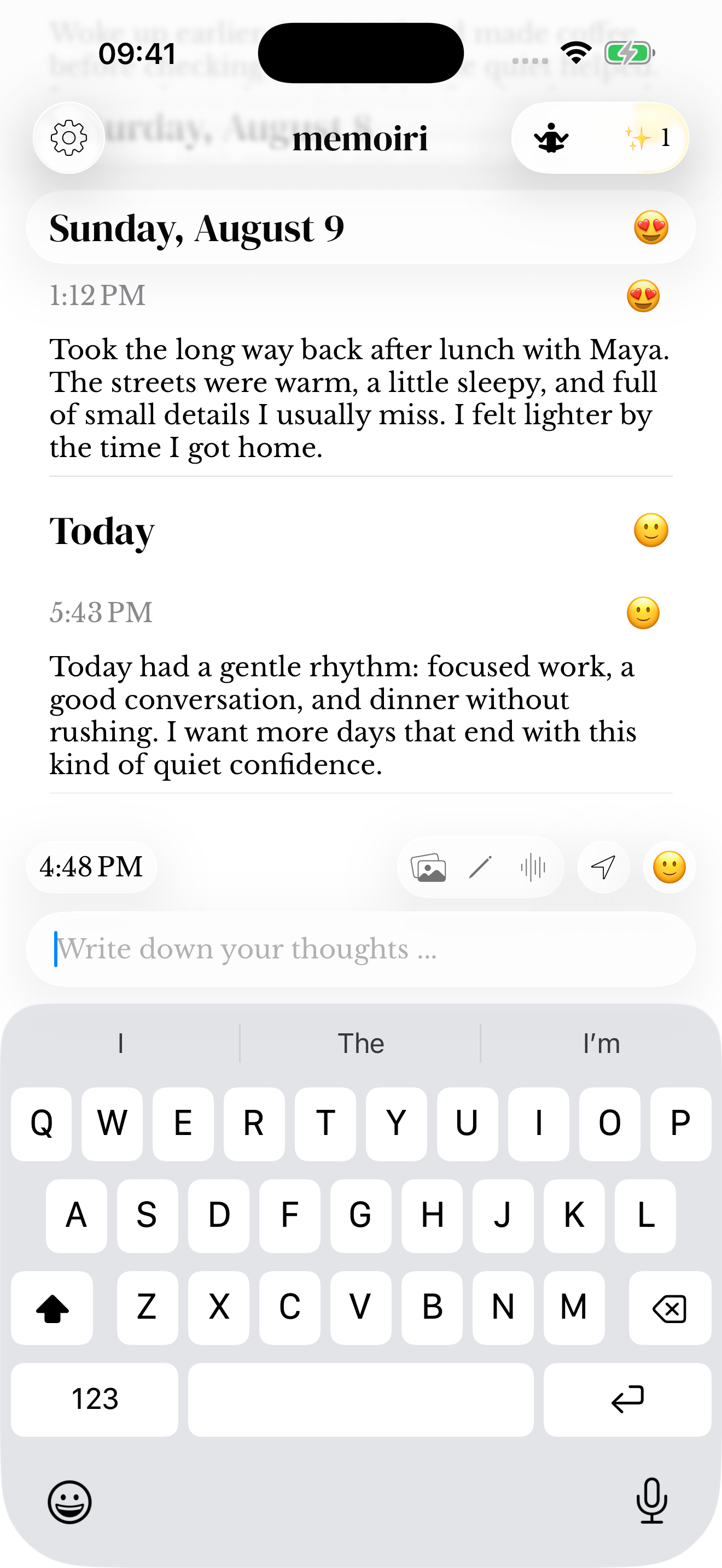
Open memoir and answer one question in the composer: “What do I want to remember about today?” Write a sentence and save it. The entry already has a date and time, so you can begin without designing a page or choosing a template.
Pick a moment you already return to, such as putting your phone on charge. A reminder can provide a nudge if you want one. You choose how often to write; a missed day does not stop you from beginning again.
What do you write in a one line a day journal?
Write something specific enough to bring a moment back: who was there, what made you smile or a detail you noticed. A short sentence can carry more of the day than a general “it was fine”.
Try one of these daily journaling ideas, or choose a question from the beginner journaling prompts. The examples below keep ordinary details rather than trying to summarize everything.
Monday
We ate outside even though the evening was cold.
Tuesday
Lina called just as I was making tea. We talked until it went cold.
Wednesday
Bought the yellow flowers on the way home.
Thursday
A quiet day. Finished the book and left the dishes until morning.
A small habit with room to grow
Choose a cue you already have, such as putting your phone on charge. Open memoir, write the detail you want to keep and save it. On days when you have more to say, the same journal has room for a longer entry or a voice note.
If you prefer a regular nudge, choose a reminder. Use the one-line journaling guide for getting started, or try the separate one-line-a-day website tool.
Try a one-line gratitude journal
If gratitude is what you want to record, name one specific thing you appreciated and why it mattered. Save that sentence in your journal. It can sit alongside other daily entries without needing a separate format.
You can record a difficult day honestly too. Gratitude does not have to replace the rest of your experience. For more starting points, browse the gratitude journaling guide.
A small thing I appreciated
Jo saved me a seat on the train. It was good to have company after that long day.
See the days you have kept
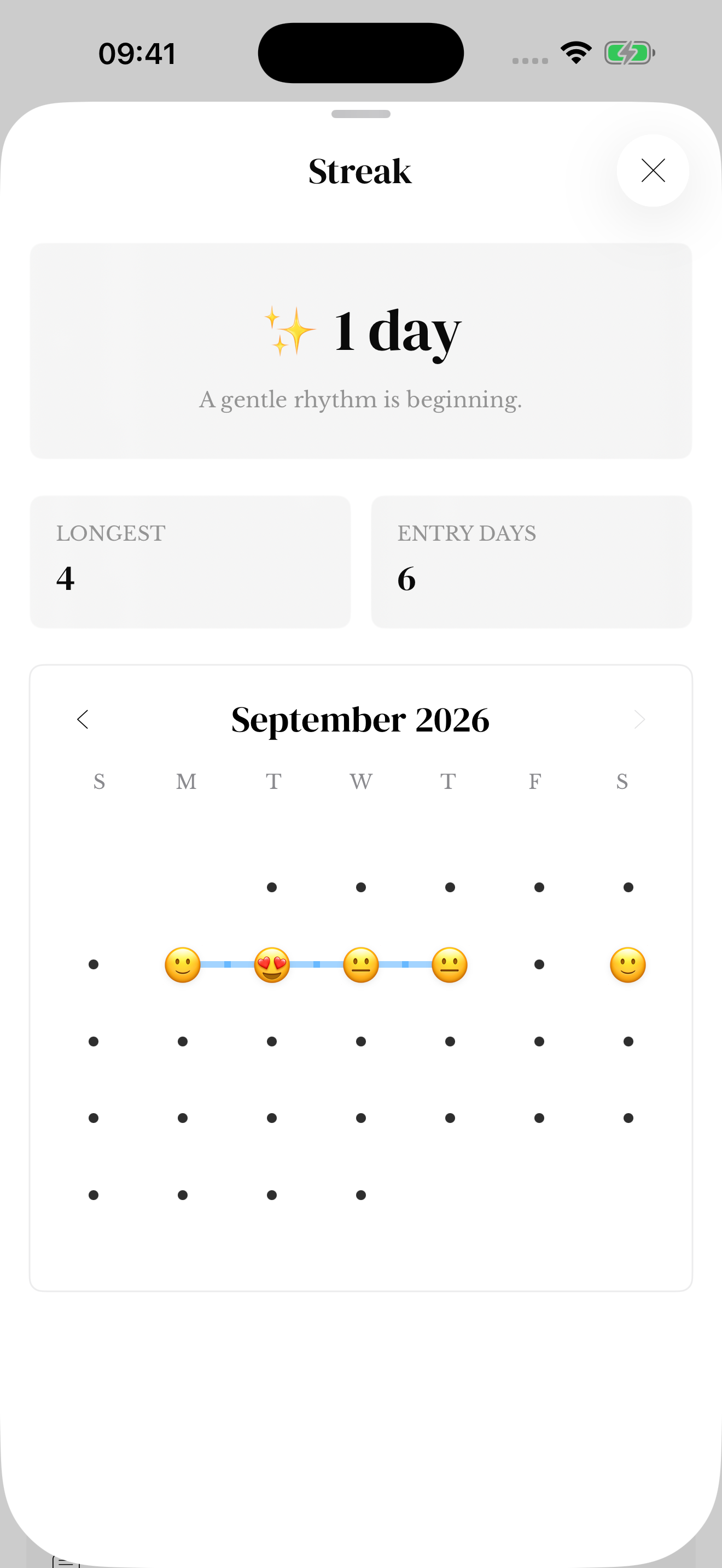
Open the expanded Streak calendar to see captured days across the month. Several notes on Monday still count as one entry day. A gap is a day without a saved memory, not a reason to discard the record.
Use the calendar to notice the routine that actually fits. If evenings keep getting missed, try a different cue. Streak and calendar help explains the counts and month navigation.
Give those ordinary days somewhere to return
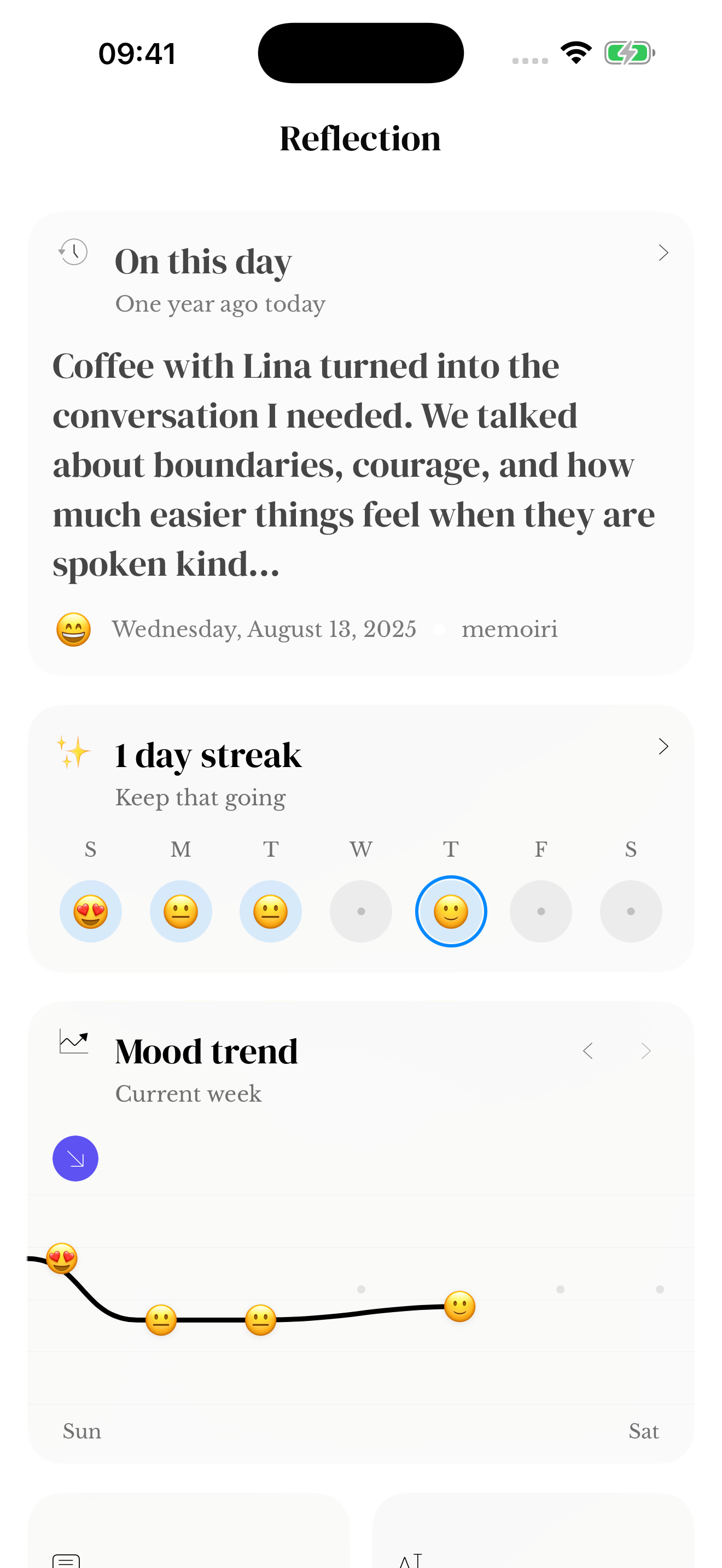
Your saved lines build a record you can browse and search. Once you have entries from previous years, On This Day can bring matching memories back. A new journal needs time to build that history.
Missing a day does not delete the memories you have already kept. Start again with today. If you want to add an older memory, check the entry date so it belongs where you intend.
Questions before you start
How do I start journaling if I do not know what to write?
Choose one ordinary detail: a conversation, a place you went or something you noticed. Write a sentence about it in memoir and save. You can use a beginner prompt when a question makes starting easier.
Is there a one line a day app for iPhone?
You can use memoir on iPhone or iPad for a one-line-a-day journal. Save a brief entry each day and browse your timeline later. It is a flexible journal, so you can also write more.
Do I have to write every day?
No. A daily cue can help you remember, but you choose when to write. A gap does not remove older entries, and you do not need to fill every missing day before continuing.
Can I write more than one line?
Yes. There is no one-line restriction. Keep a sentence on a busy day or make a longer entry when you have more to say.
Does it have a five-year diary layout?
Memoir uses a timeline rather than a fixed five-year paper-diary grid. On This Day offers a way to revisit entries from matching dates in previous years when those entries are available.