

How to get started
- Install the memoir Watch companion through your paired iPhone, then open memoir on both devices.
- Swipe or use the Digital Crown to move between Prompt, Write, Voice and Mood pages.
- Use the journal shortcut to select where the next capture should go.
- Save a memory, then check its delivery state and the destination journal on iPhone.
Quick capture and complications
The Watch experience includes prompts, journal selection, and quick complications in supported watch faces. Available controls can differ from the iPhone layout.
A complication is a small shortcut or display on your watch face. Review what it displays if you prefer not to show journal-related information on your watch face.
If an entry is waiting to transfer
Keep the Watch and paired iPhone available and connected, then open memoir on the iPhone. A recording may take longer to transfer than a small text entry.
Check the selected journal and keep the original capture while troubleshooting. Contact support if it remains missing, describing the device versions and capture type without including the private content.
Write, answer a prompt or record a mood
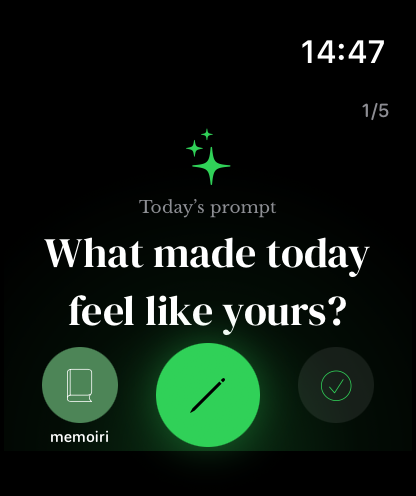
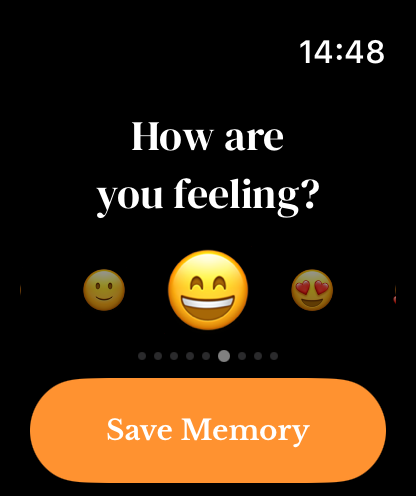
The Prompt page shows a question with a writing action. The Write page opens the Watch’s text-entry controls. On Mood, move between the emojis and use Save Memory to submit the selected feeling.
Prompt, text and mood capture use memoir+ access. Voice capture is available without the upgrade.
Use the Crown to choose a feeling
The Watch mood carousel responds to touch and the Digital Crown. Stop on the emoji that fits, then save the mood memory to the selected journal.
You can add context later on iPhone. See mood tracking for reading recorded mood history.
Record a voice memory
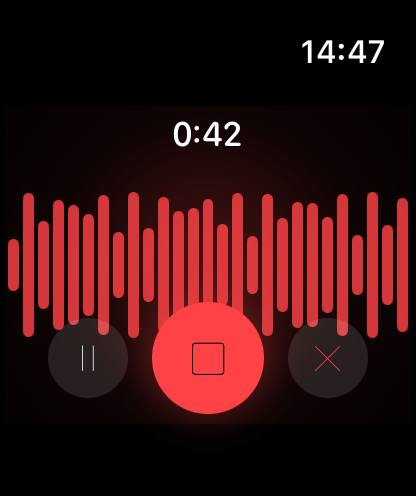
Opening Voice starts recording after microphone permission is granted. Pause or resume when needed; the central stop control finishes and saves a normal recording. Cancel discards it. Watch recordings have a five-minute limit.
Interrupted or recovered recordings can offer preview, save and discard actions. Keep the recording until you have checked its transfer. See Watch sync and transcription.
Summary, Reflection and Focus Time
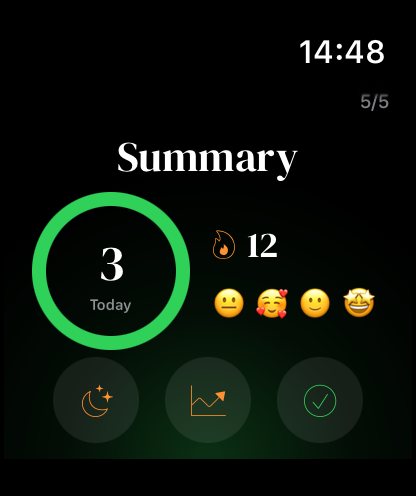
The final Summary page shows today’s captures and streak, with actions for Focus Time, Reflection and Sync. Reflection includes daily and weekly activity based on the companion snapshot.
Use Watch Focus Time for session controls. Watch sync troubleshooting explains pending entries and commands.
Glance at your week
Watch Reflection shows capture totals, the current streak and the week’s recorded moods. It is a compact view; return to iPhone for the original entries.
Complications provide shortcuts for streak, Daily Prompt, Mood Check-in, Focus Time and Voice Entry on compatible watch faces.
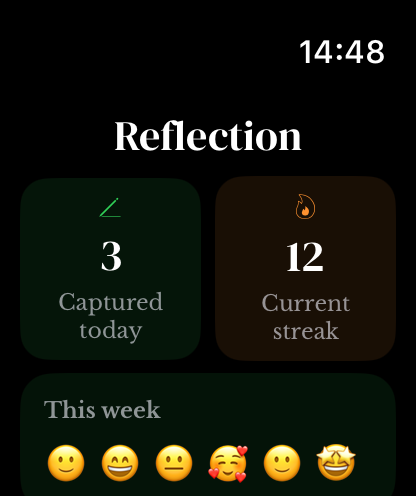
Screenshots use sample content. Labels and available controls can vary by app version and device.