
A FEELING WITH ITS CONTEXT
A mood journal app for feelings and the moments behind them
A mood check-in takes a moment. Your calendar shows how those moments sit across a month, and your journal keeps what was happening around them. Use memoir to record the feeling and return to its context.

For iPhone and iPad. Listed as Memoiri on the App Store.

TRY IT NOW
Keep a mood with its context
A mood can be quick. One detail makes it useful when you return.
Choose the closest mood
Pick the feeling that best fits this moment without searching for a perfect label.
Add one piece of context
Note what happened, who was there or what changed.
Read the entry behind the pattern
Use calendars and trends as a route back to what you actually wrote.
Start with a feeling and one detail
Choose the mood that fits this moment and save it with an entry. Add one detail if you want: who you were with, what changed or what was on your mind. You can keep several check-ins during a day.
The words make the check-in personal. “Happy” is a label; “Called Lina on the walk home” gives you a moment to return to.
If you are looking for journaling ideas, try one question: “What changed my mood today?”, “When did I feel most at ease?” or “What do I want to make time for tomorrow?” Answer whichever feels useful; you do not need to turn each check-in into a long entry.
After the walk😊
I had been indoors all morning. It felt good to take the longer route and call Lina on the way home.
A mood journal template with room for context
Try three lines: “Right now I feel…”, “What was happening around this feeling?” and “What do I want to remember or return to?” Choose a mood that fits; the writing can explain what an emoji alone cannot.
For a broader daily check-in, use the daily journal template. The separate website mood calendar keeps day marks, while memoir keeps your writing alongside app check-ins.
A fictional check-in
Restless after a busy afternoon. I kept switching between unfinished tasks. Tomorrow I want to start with the presentation before opening messages.
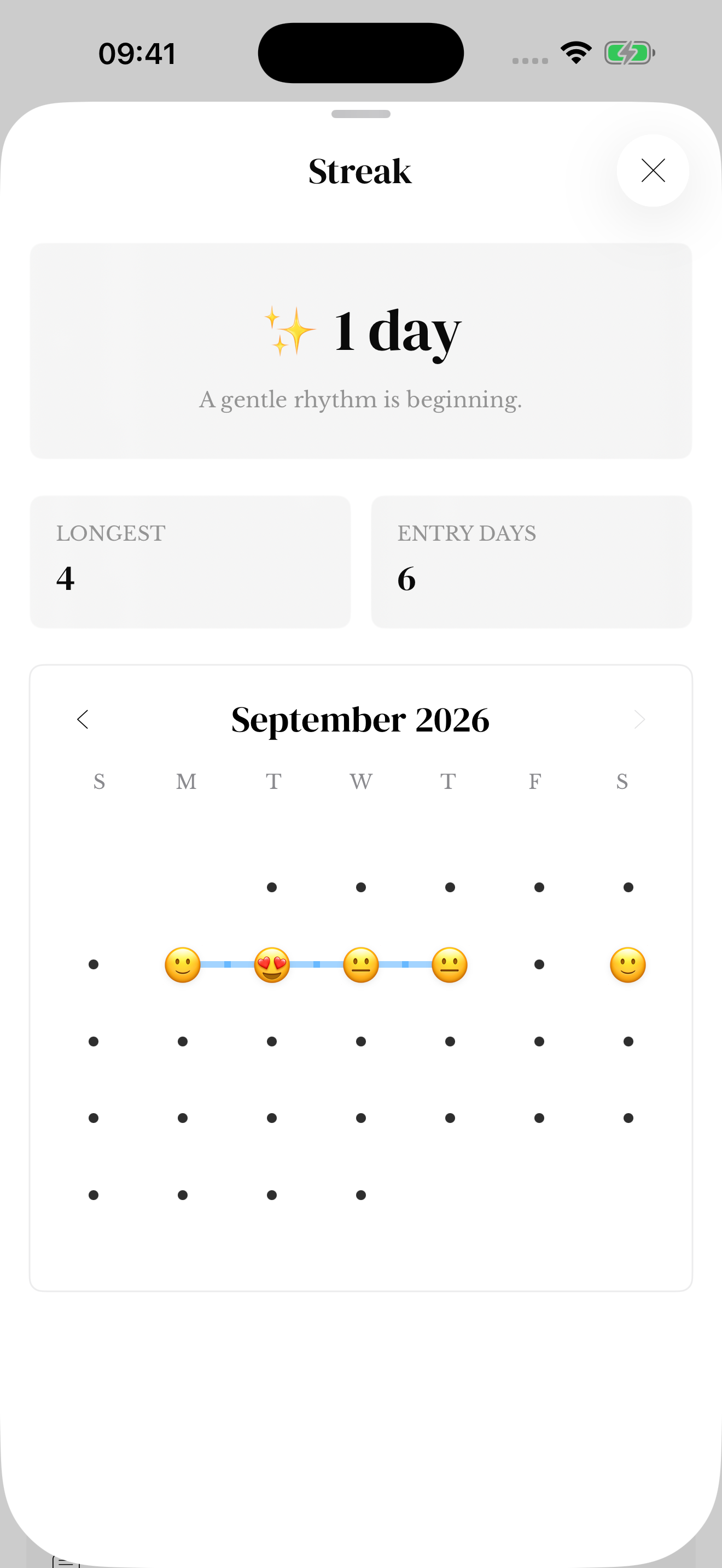
See the month in the expanded Streak calendar
Open Streak from Reflection and expand the sheet to see the monthly calendar. Move between available months to see captured days and their mood emoji, alongside your current streak, longest streak and entry-day count.
A day’s emoji summarizes the moods recorded for that date. It does not show every check-in separately. Several entries can belong to one day, so the entry-day count is different from the number of entries. Streak and calendar help explains the view.
Use the weekly trend for a different view
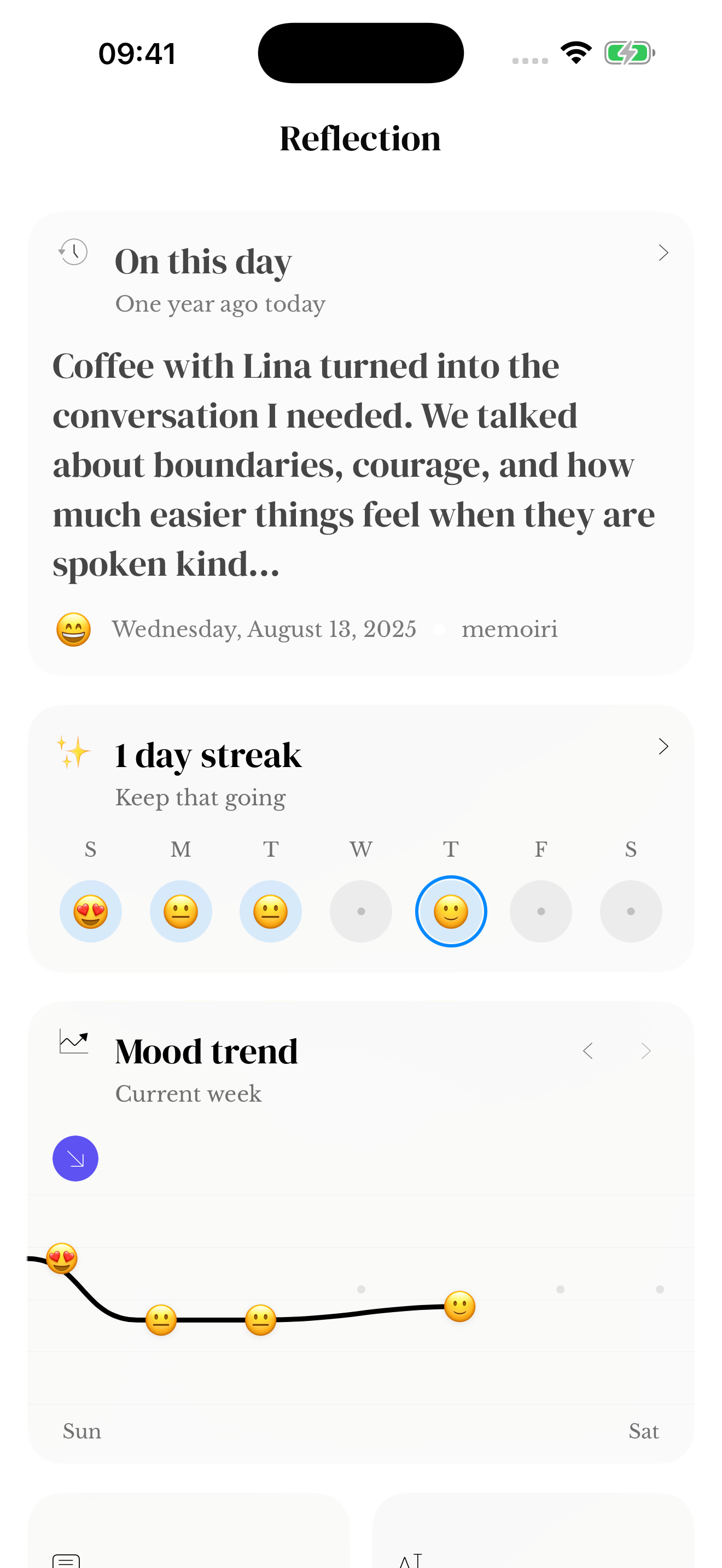
The mood trend in Reflection places your recorded feelings across the week. Use it with the monthly calendar: one shows a closer view of the week, while the other helps you see the dates across a month.
These views describe what you saved. An unrecorded day is not a neutral mood, and a pattern cannot tell you what caused a feeling. Read the entries before drawing a conclusion.
Go back to the entry behind the check-in
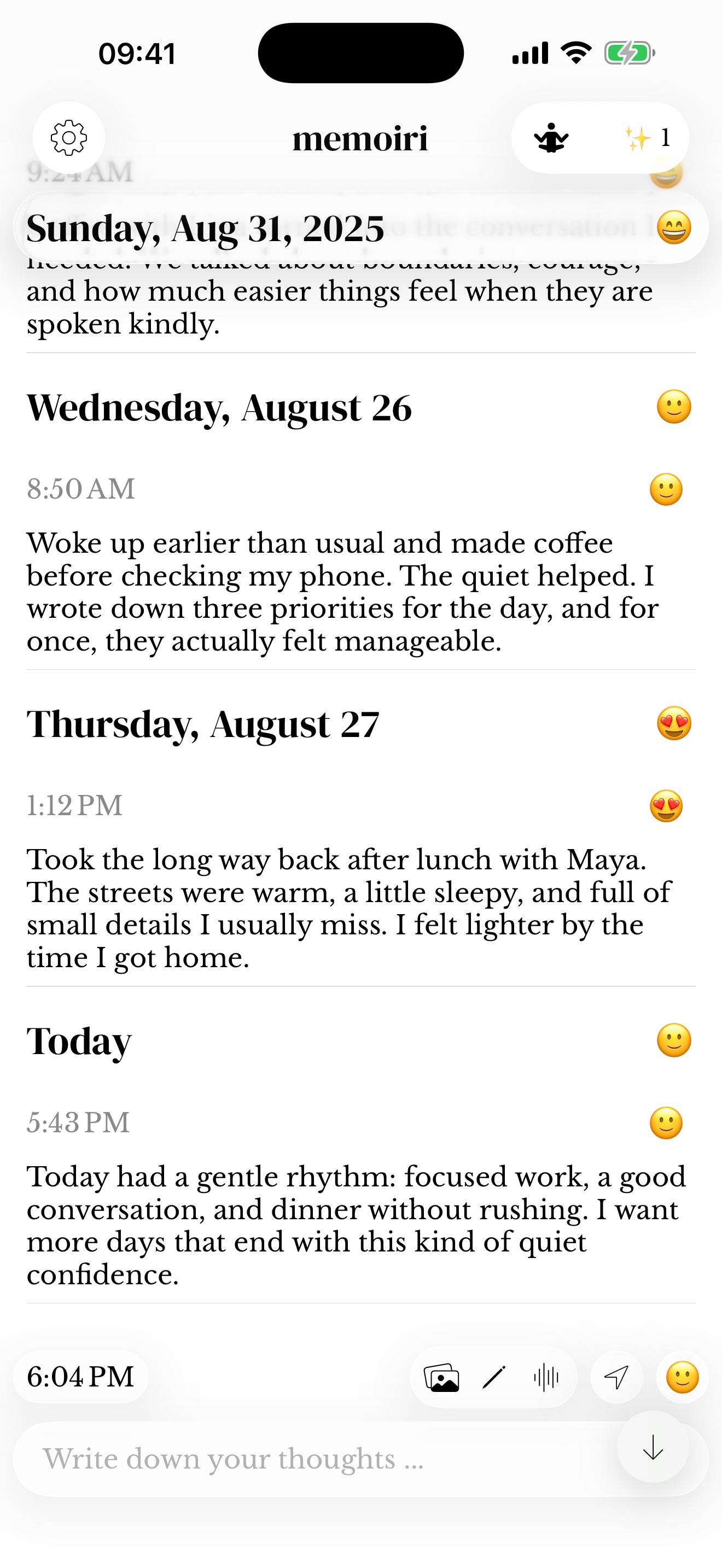
When a day catches your attention, return to your journal and browse that date, or use Search with a remembered word, date or mood. The calendar is an overview; use the entries to recover the full context.
Keep a new reflection as a separate entry if you want to preserve both how it felt then and how you see it now. Mood help and Search help explain the controls.
Try a mood calendar before choosing an app
The website mood calendar lets you try marking feelings in your browser. In the app, moods belong to saved memories and appear in its calendar and Reflection views.
The two are separate. Website marks do not appear in memoir, and the browser tool does not save automatically. Use its download controls before leaving if you want to keep the result.
Questions before you start
What is the difference between a mood journal and a mood tracker?
A tracker focuses on recorded labels and patterns. A mood journal adds your own words and experiences around those check-ins. Memoir lets you keep feelings with journal context.
Where is the mood calendar in memoir?
Open Streak from Reflection and expand the sheet to reveal the monthly calendar. It shows captured days and a summary mood emoji for dates with recorded moods. Month arrows let you browse the available history.
Can I log more than one mood in a day?
Yes. You can keep multiple entries with mood check-ins across the day. Each is a record of a moment, rather than a required summary of the whole day.
Does mood tracking explain why I feel a certain way?
No. Recorded trends can help you decide what to revisit, but they do not establish a cause or provide a diagnosis. Read the original entries and treat a chart as only part of the context.
Will the website mood calendar appear in my journal?
No. The website tool is independent of the app and does not save automatically. Use its download controls before leaving the page if you want to keep the calendar.
Why can the calendar show one emoji when I logged several moods?
The calendar summarizes the recorded moods for a date into a daily emoji. Your individual entries retain their own check-ins and context. Read those entries when you want to see the differences within a day.
What should I write in a daily mood journal?
Name the feeling and one thing happening around it. “Tired after the journey, relieved to be home” is enough to begin. The beginner prompts offer other questions if you want to write more.