
KEEP THE DETAIL AND THE STORY
Visual journal app for photos, art and nature journaling
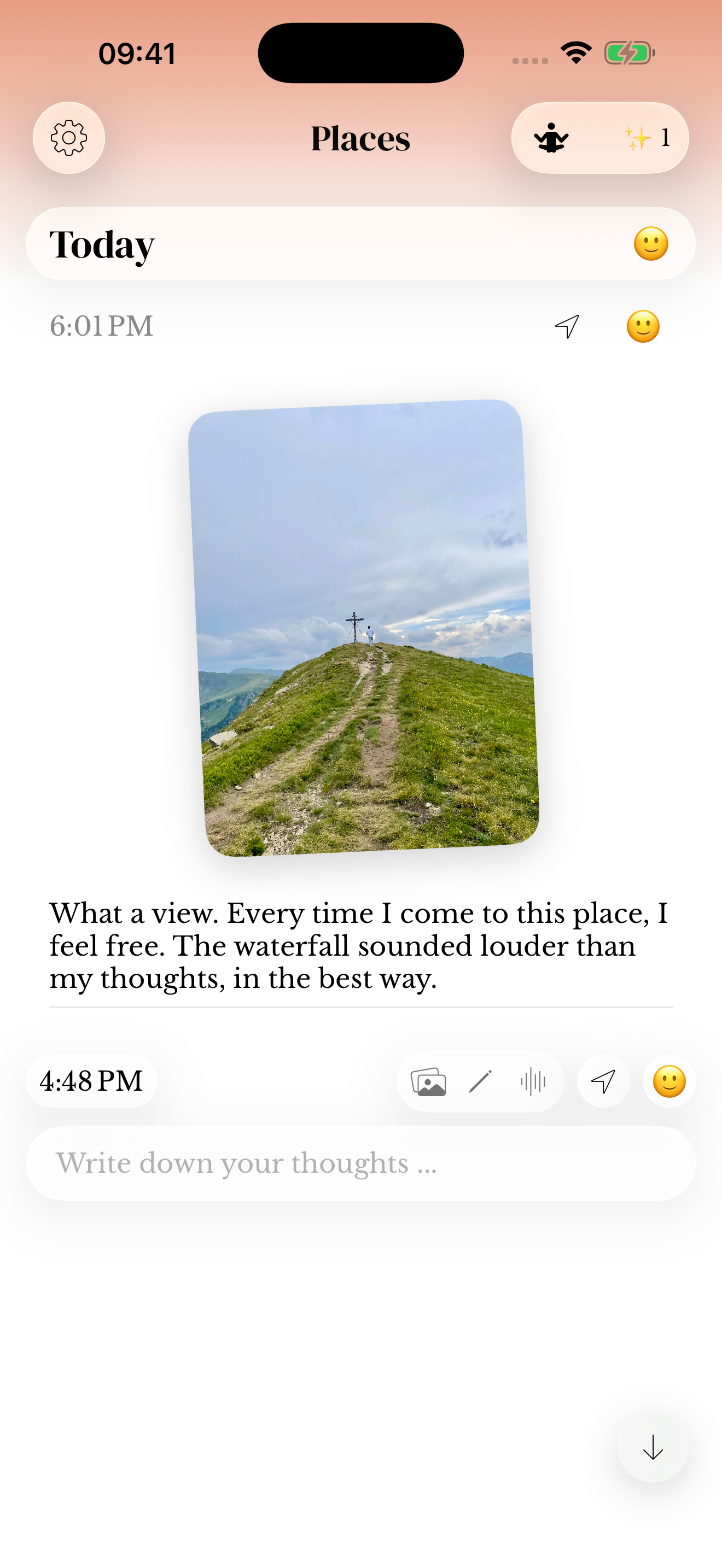
A photograph holds the scene. Your words hold why you took it. Keep the picture, a sketch or a small observation with its date in memoir, so the image has a story when you return to it.

For iPhone and iPad. Listed as Memoiri on the App Store.

TRY IT NOW
Make a visual entry
Let the image carry the scene and use words for the part outside the frame.
Choose one image
Take a photo, add an existing picture or make a quick sketch.
Add the missing story
Write who was there, why you noticed it or what changed.
Leave a way back
Include a person, place or object you will recognize in search.
A journal app with photos and their stories
A visual journal uses photos or drawings as part of the record. Start with an image, then add the detail it cannot show: who made you laugh, why you took the longer path or what you were thinking at the time.
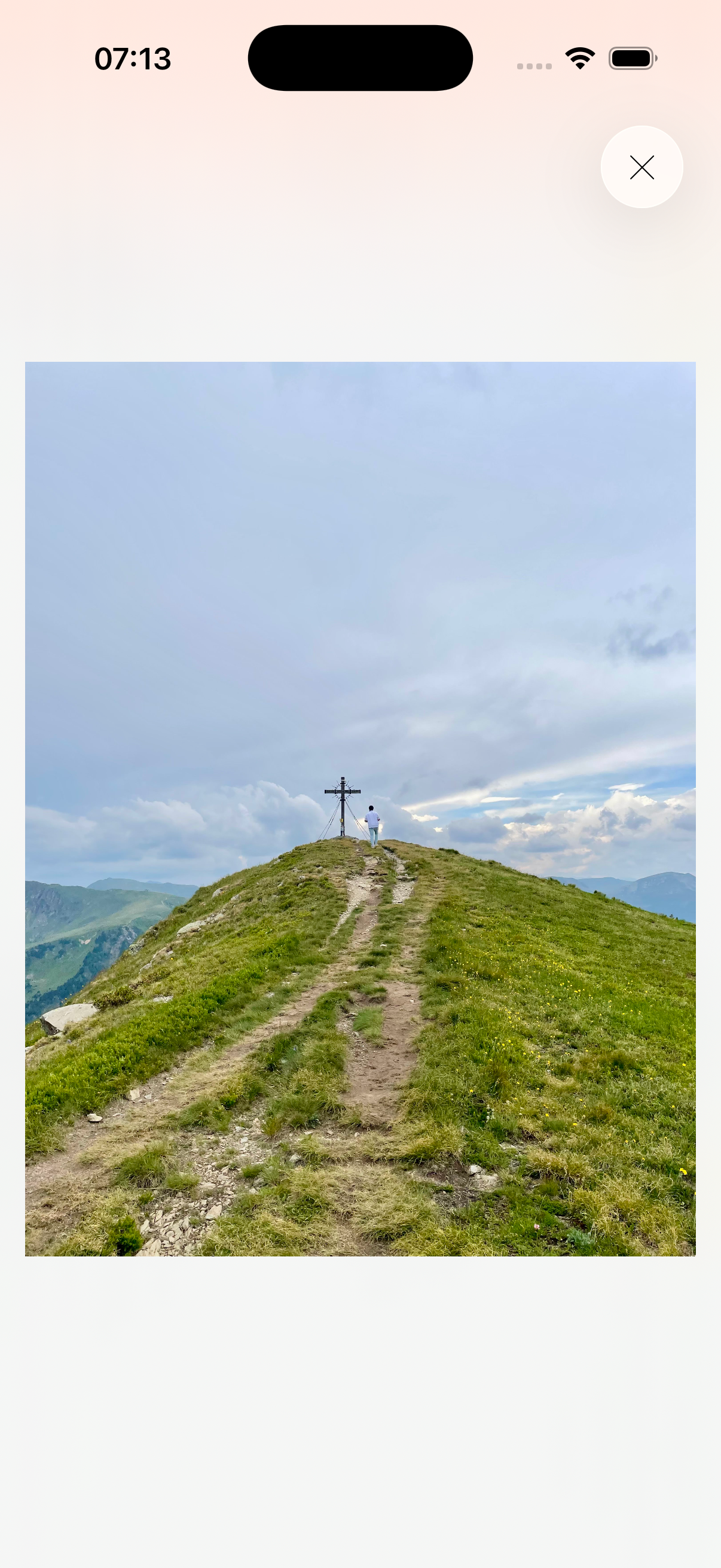
Open a saved photo at full size when you want a closer look. The image stays attached to its journal entry, so you can return to the writing around it. Memoir uses a timeline, rather than a canvas for arranging a collage.
A fictional photo-journal entry
The table after dinner, with everyone’s cups still out. Lina stayed late telling us about her first week at work. I want to remember how easily the evening stretched out.
Three creative journaling ideas to try
Look for something small enough to notice today. Choose a photograph or sketch that carries a detail, then add the words the image cannot tell you.
For another starting point, ask: “What changed since my last visit?” for nature journaling, or “Which shape or colour do I want to explore?” for an art journal. The journal prompts library offers more questions.
A photo and a memory
Photograph the table after dinner. Write who stayed late and what made you all laugh.
A small nature journal entry
Draw the shape of a leaf you noticed on a walk. Add where you found it and one detail about the weather.
An ordinary object
Keep a photo of a familiar mug, book or ticket. Write why you still have it.
Nature journaling example: return to the same tree
Choose a place you can revisit, such as a tree on your walk home. Photograph one detail, then write what you noticed, where you were and a question you want to return to. Describe what you can see without needing to identify every species.
On your next visit, take another photo and use the same place name in the entry. Search for that name to find both observations and compare them yourself. Memoir keeps dated entries; it does not identify species or calculate changes between photos.
First visit · attach a photo of the leaves
Maple by the footbridge. Most leaves are green, but one branch has orange edges. The path is dry after a week without rain. Will the other branches change at the same time?
Next visit · add a new dated entry
Maple by the footbridge. More orange leaves today, mostly on the side facing the water. I want to photograph the same branch next time.
Art journaling example: a sketch with its story
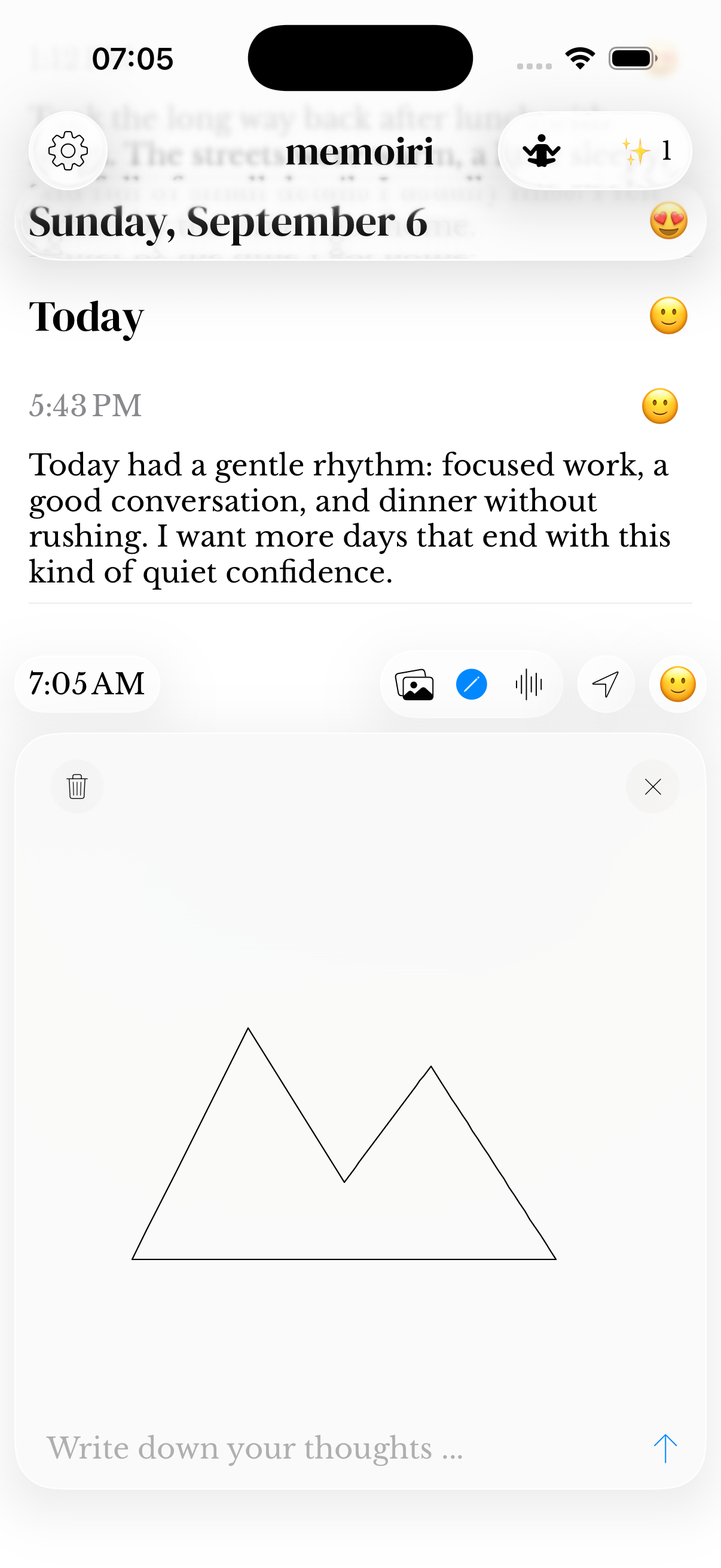
Open the sketch canvas and draw an ordinary object for a few minutes. Save the sketch with a sentence about what caught your eye. You can also photograph something made on paper and add it to an entry.
Return to the object another day and keep a new sketch rather than replacing the first. Add its name in the writing so you can search for the entries together. The sketch guide explains drawing and saving, and memoir+ help explains media access.
A first sketch
Blue kitchen mug. I tried drawing the handle without lifting my finger. The shape came out crooked, but I noticed the little chip near the rim for the first time.
A later entry
Blue kitchen mug again, this time beside the window. I used just two colours and left the reflection unfinished. I like remembering where I was sitting.
Keep a paper art journal alongside the app
If you enjoy layered paper, paint or freely arranged scrapbook pages, keep making them. Photograph a page and add a dated note about the materials, the idea or the day you made it. The photo guide explains how to attach the image.
Memoir stores that photo with an entry. Its timeline does not recreate overlapping scraps or a freeform collage canvas. Keep the physical page when its texture is part of what matters to you.
Leave yourself something to search for
Add a recognizable word while the scene is fresh: the person, place or object that made the image matter. Later, Search can use that entry text or a supported query such as “photos last month”.
Keep attachments in your journal backup. Copying a caption alone does not preserve the photo or sketch. Search help explains media filters and recognized text in photos.
Questions before you start
Can I use memoir as a photo journal app?
Yes. Keep photos with written context in dated journal entries, then browse them in your timeline or use Search. It is a journal for the memory around a photo.
Can I draw in my journal?
Yes. The composer includes a sketch canvas. Saving sketches requires memoir+. See sketch help for the drawing and saving workflow.
Is this a digital scrapbook or collage maker?
Memoir uses entries with attachments, not an open canvas where you freely arrange and overlap pictures. Choose it when you want photos and sketches connected to dated writing.
Can I keep a nature journal in the app?
You can record observations with writing, photos and sketches. Add the place or date when useful. Memoir does not identify plants or animals for you.
Can a beginner use memoir for art journaling?
Yes. Start with a simple sketch or a photo of something you made, then add a sentence about it. See the sketch guide for drawing and saving, and memoir+ help for media access.