
YOUR SUGGESTED STARTING POINT
FREE PRINTABLE JOURNAL TOOL
Free Journal Template Generator
Answer four quick questions to find a journal page that fits what you need today. Customize the suggested questions and format, or skip the generator and download a ready-made printable from the gallery.
STEP 1 OF 3
What kind of journal page would help today?
Answer four quick questions. We will suggest a starting point that fits your time and the way you want to reflect.
Question 1 of 4
STEP 2 OF 3
Make the page yours.
Choose the length, rename the page and keep only the sections that will help you write.
Sections and questions
Select, edit or reorder them.
STEP 3 OF 3
Preview, write or download.
LIVE PREVIEWA4
memoir

My daily journal
Your writing stays in this page and is not uploaded.
READY-MADE A4 DOWNLOADS
Choose a template and start writing.
Every page has a layout designed for its purpose. Download a blank printable immediately, or open it in the customizer to change the questions and format.

Daily journal template
Capture one moment, a feeling, a detail to remember and a thought for tomorrow.
Best for: A balanced everyday entry
Gratitude journal template
Notice specific people, moments and details without forcing every day to feel positive.
Best for: A grounded gratitude practice
5-minute journal template
Use a compact morning or evening check-in when you want structure without a long writing session.
Best for: A journal habit that fits a busy day
Mental health journal template
Make a gentle, present-focused check-in about feelings, context, needs and possible support.
Best for: A non-diagnostic emotional check-in
Self-care journal template
Check your energy, needs and boundaries before choosing one realistic act of care.
Best for: Planning care that fits real life
Mood journal template
Record a mood with its context, intensity and the things that helped or made the moment harder.
Best for: Remembering the context around a mood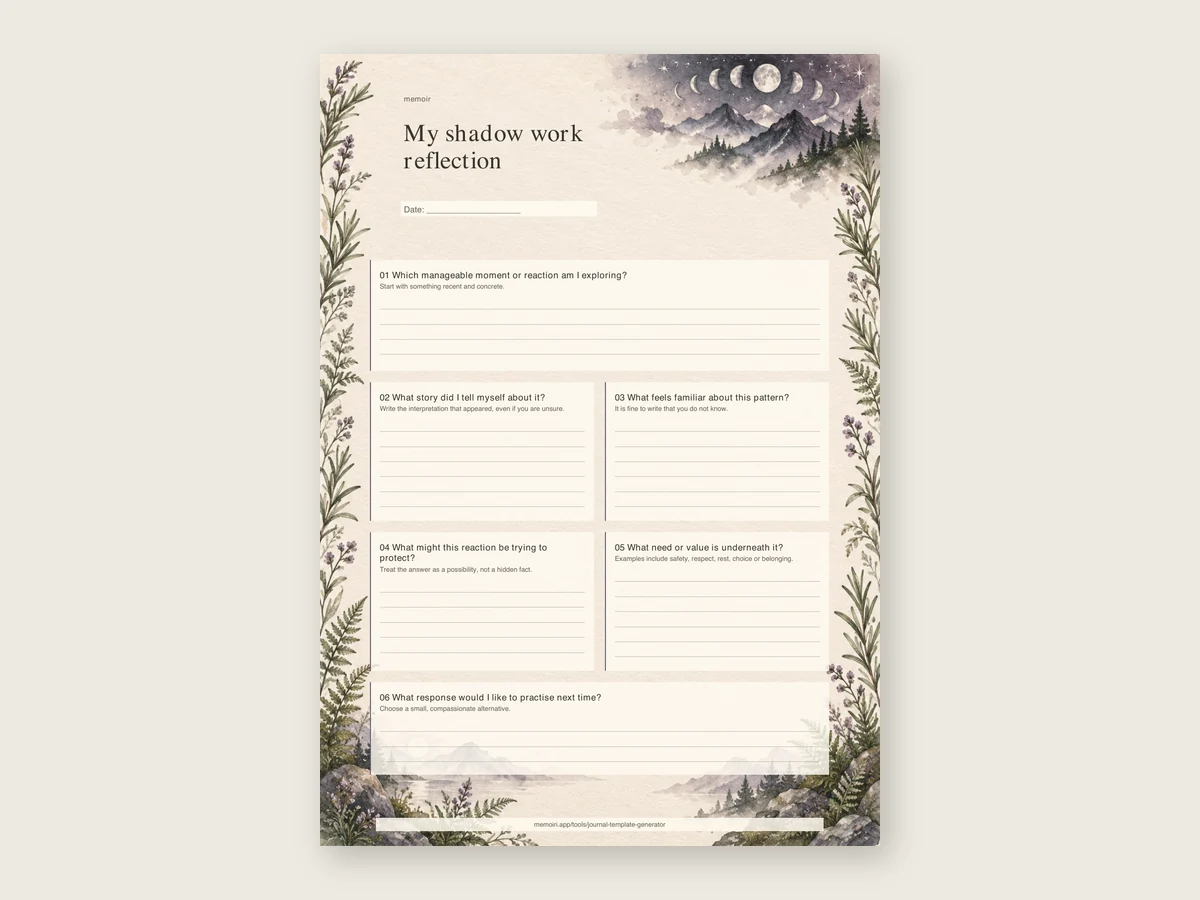
Shadow work journal template
Explore a manageable reaction or pattern with open questions and room to stop.
Best for: Optional self-reflection on familiar patterns
Reading journal template
Keep the book details, memorable ideas, quotations and your own response on one reusable page.
Best for: Book reviews and reading memories
Manifestation journal template
Turn a hope into a clear intention, identify what you can influence and choose a practical next step.
Best for: Intentions grounded in action
Dream journal template
Write down remembered people, places, feelings and images before the details fade.
Best for: Recording a dream after wakingHow to create your journal template
Choose a starting point
Answer four questions about your available time, what you want help with, your preferred page style and when you plan to write.
Make the questions yours
Start with the suggested template, then edit, reorder or add questions until the page fits you.
Download or print
Choose A4, A5, US Letter or a tablet PDF, then download a blank template or your completed page.
What can a journal template include?
A journal template can give a blank page a useful shape. A daily journal might ask about one event, a feeling and a detail to remember. A gratitude journal can focus on why a moment mattered. A mood journal can keep the context around a feeling, while a reading journal can hold a summary, quotation and personal response.
There is no required set of questions. Keep only the sections that help you write. If you would rather begin with one question, browse the journal prompt library. For a broader introduction, read how to start journaling or compare the examples in our journal template guide.
Printable and digital journal templates
Choose A4, A5 or US Letter for a printable journal page. The tablet format creates a portrait PDF that can be imported into Goodnotes and other PDF annotation apps. The generator also lets you type into the page before downloading it. Your writing remains in the browser and is not submitted to memoir.
Journal template questions
Is the journal template generator free?
Yes. You can customize a template, write in it and download a PDF without creating an account.
Can I download a printable journal template as a PDF?
Yes. Choose A4, A5 or US Letter, then download a blank PDF or a PDF containing the answers you typed.
Can I use a generated journal template in Goodnotes?
Yes. Choose Tablet PDF for Goodnotes, download the file and import it into Goodnotes or another PDF annotation app. The website does not send the file to that app for you.
Is my journal writing saved or uploaded?
No. Your answers stay in page memory while the tool is open. They are not uploaded or saved automatically. Download, print or copy anything you want to keep before leaving.
What should a daily journal template include?
A useful daily page can include one event, a feeling, a detail to remember and a thought for tomorrow. Every question is optional, and you can edit or remove it.
Is the mental health journal template a clinical assessment?
No. It is a non-diagnostic reflection page. It does not evaluate symptoms, provide treatment or replace support from a qualified professional.
WRITE BEYOND THE TEMPLATE
Keep words, photos, moods and voice notes together.
Use a generated page on paper, or capture the moment in memoir and find it again later.
