

Choose memoir for an iPhone and iPad timeline with voice capture and personal prompts grounded in saved memories. Choose Day One when its browser access, broader desktop support, shared journals or printing suit you better. Both support rich entries, and the useful difference is how you capture and return to your own memories.
This comparison of documented features is published by memoir, a journaling app developer. Our recommendations are editorial judgments, not a hands-on ranking.
Which should you choose?
Choose memoir if…
You want to save a thought by voice before it disappears, revisit the people and moments in your entries, and find a memory with the words you still remember. Your main devices are iPhone and iPad.
Choose Day One if…
You need browser or broader desktop access, shared journaling or book printing. You want to choose among a larger set of export formats.
| Your decision | memoir | Day One |
|---|---|---|
| Primary devices | iPhone, iPad and a paired Apple Watch companion. | Mobile and desktop apps, Apple Watch and web access. |
| Start without paying | Text and voice capture; optional memoir+ upgrade. | Basic includes text and one photo per entry. |
| Paid media | Saving photos, stickers and sketches requires memoir+. | Silver adds audio, transcription, drawing and expanded media. |
| Reflection approach | Mood views, past memories and Memory Recaps. | Past memories and browsing views; Gold adds AI tools. |
| Keep a copy | Compatible memoir library backup and restore. | Several readable and structured exports, depending on platform. |
Sources: memoir+ guide, memoir backups, memoir App Store listing and version history, Day One plans and Day One export formats by platform.
Capture: keep the small thought while it is still there
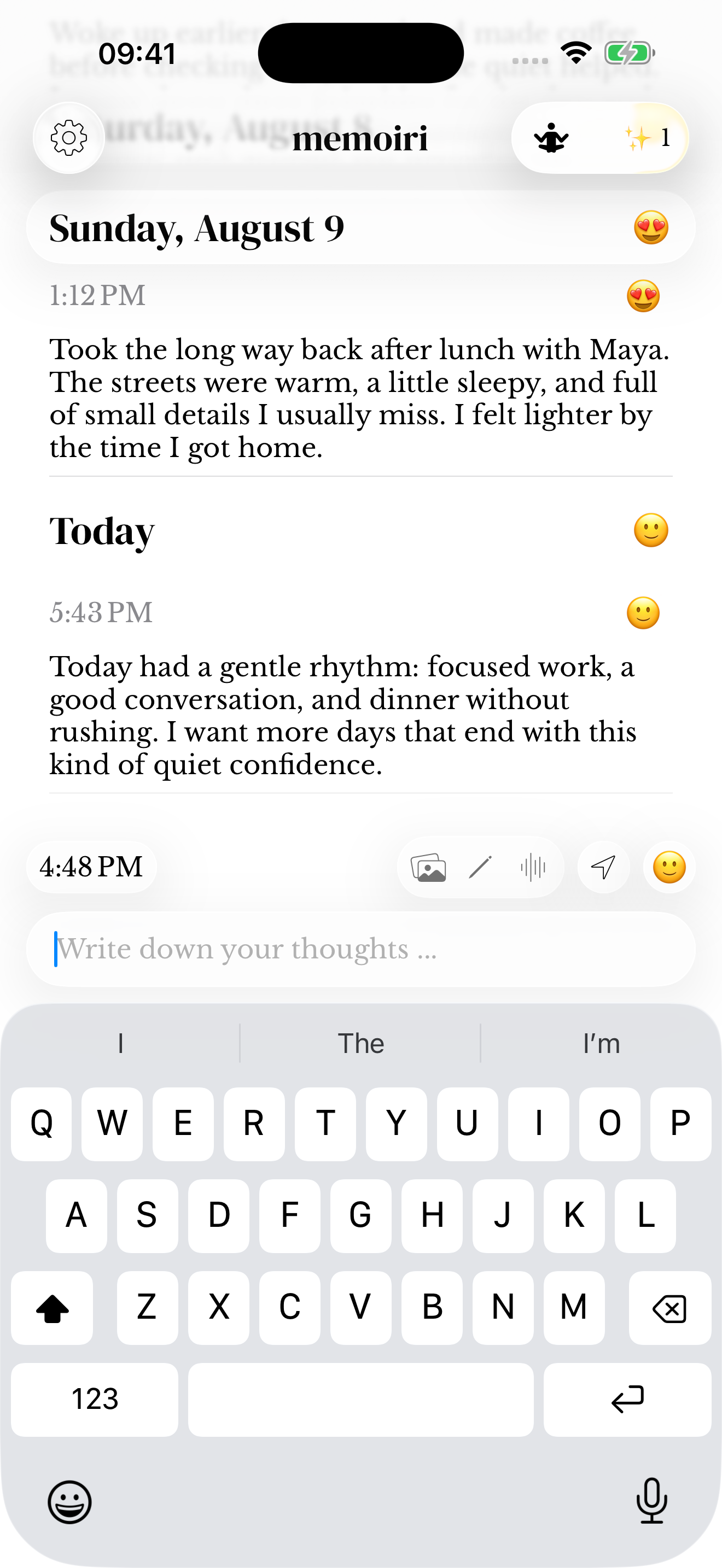
memoir groups entries by day and time. You can save a short text, record your voice or log a mood; memoir+ adds photo, sticker and sketch saving. The paired Watch companion can capture voice away from the phone’s keyboard, with a five-minute recording limit. Voice guide · Watch guide.
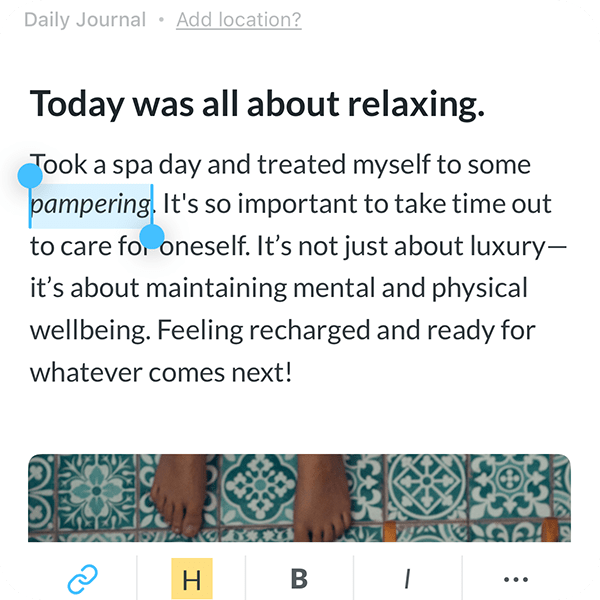
Day One supports media-rich entries too. Its documentation includes photos, video, audio and drawing, so those are shared capabilities rather than reasons to assume one app automatically wins. Day One’s feature overview.
Writing an entry in each app. These images show different sample entries and device views; they illustrate the controls, not the results of an identical test.
Reflect: source memories or a conversational response?
memoir offers Memory Recaps and connections between recurring people, places and themes, with paths back to the saved memories. The analysis runs locally and links back to your own material, so you can reread the memory behind a connection. memoir App Store listing and version history.
Day One’s AI features include guided reflection and summaries. Some AI tasks send the selected content to an AI service after consent, while supported on-device models can process locally. Review the actual processing explanation rather than assuming all AI is handled the same way.
Version 2.8 also adds private personal prompts based on earlier memories, with the supporting entry available without leaving your draft. These prompts use saved context; they do not read another person's intentions or predict what will happen. Published release notes.
Find: try the words you remember
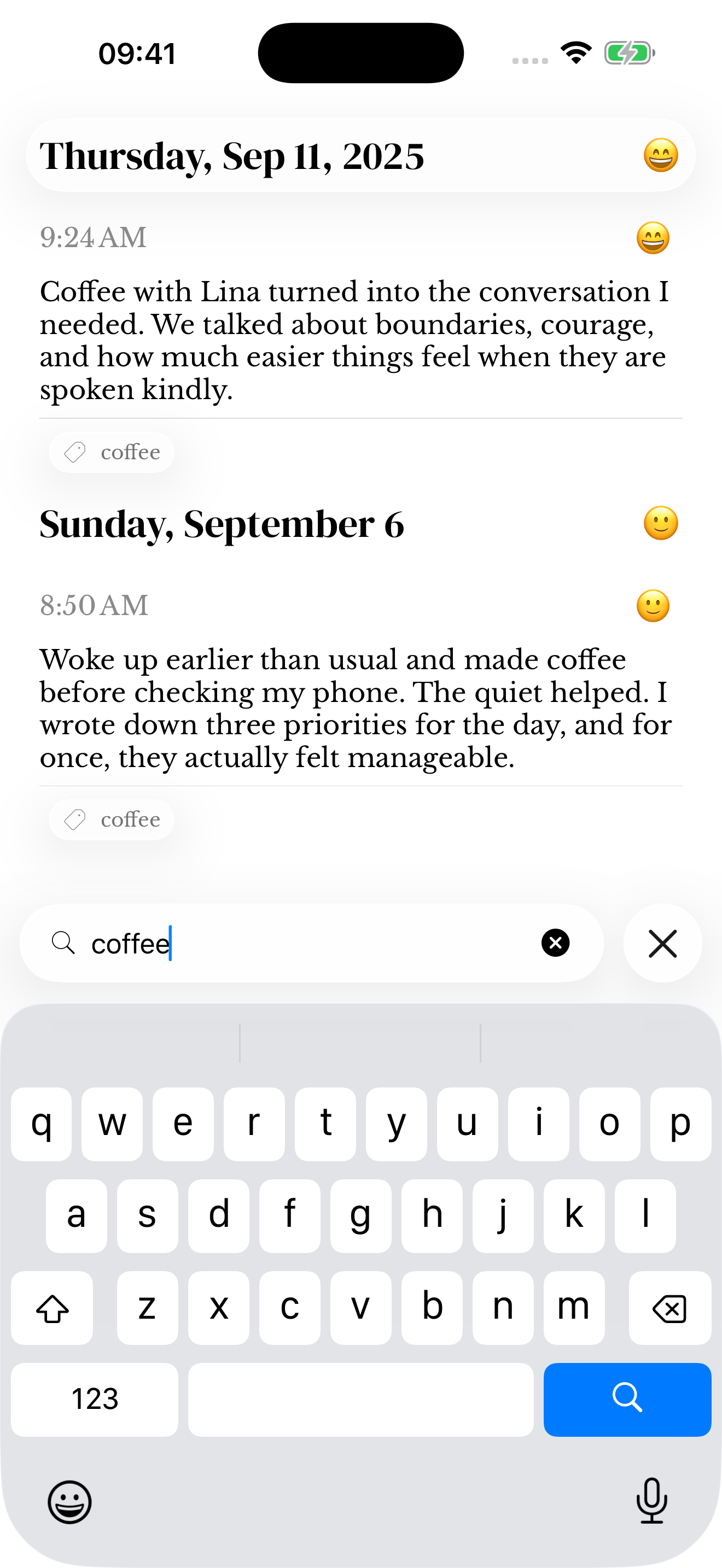
Remember a photo but not the day? “Photos last month” combines a media type and a date range. Remember the conversation instead? Search for “coffee” or the person’s name. Match reasons help explain why an entry appears. It can only retrieve what was saved or recognized. See how memoir Search works.
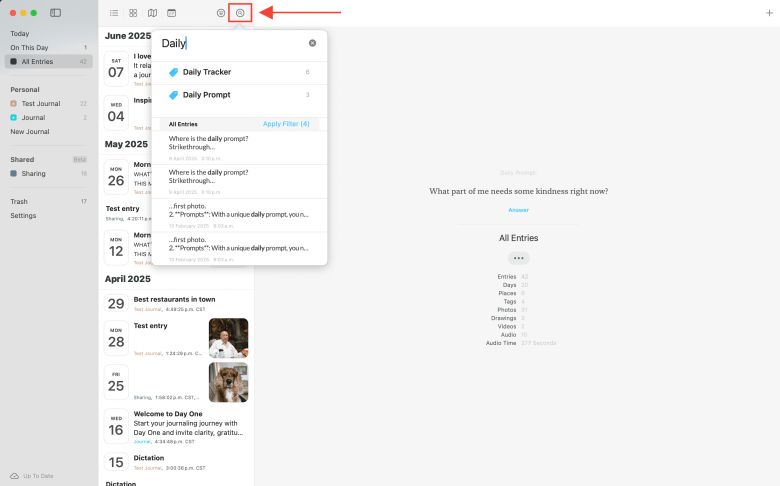
Day One provides word/phrase search and filters, with platform-specific options. If your journal is carefully tagged, try those filters with your own organization system. Day One search guide.
Finding an older entry: memoir on iPhone and Day One on Mac. These are different devices and sample journals, not a test of relative search accuracy.
Cost, privacy and moving your archive
US dollars, checked October 14, 2026. Storefronts, taxes and offers can change the checkout price. Monthly and annual figures below describe their actual billing period, not an estimated monthly equivalent.
| Plan decision | memoir | Day One |
|---|---|---|
| Published price | Free writing, moods and voice. memoir+ is optional; check its current local plans and billing periods in the purchase screen before subscribing. US App Store. | Basic $0. Silver $49.99/year; Gold $74.99/year on the published plans page. Check checkout for other billing options. US App Store; plan terms. |
| What changes when you pay | memoir+ adds photo, sticker and sketch saving and optional iCloud sync. | Silver adds audio/transcription, drawing, expanded media and multi-device sync. Gold adds AI features. |
memoir stores journal data locally by default and offers optional personal iCloud sync. We do not claim an independently audited encryption advantage over Day One. Read memoir’s privacy policy and the competing product’s documentation for the settings you plan to use.
Can I import Day One into memoir?
memoir’s documented import restores compatible memoir backups. It is not a documented Day One importer. Keep your original archive and do not assume a Day One ZIP, PDF or JSON file can be imported directly. Backup and import guide.
If memoir fits your routine, start with one short entry and try finding it again tomorrow. Explore Day One if its approach suits you better.

Common questions
Can I start with either app for free?
Yes. memoir offers writing, moods and voice capture without memoir+. Day One Basic includes text and one photo per entry. Richer media and sync have different plan boundaries, so compare the features you need rather than the download price alone.
Does memoir have a web or Windows editor?
memoir has no dedicated browser or Windows journal editor. Its primary experience is on iPhone and iPad with a paired Apple Watch companion. If browser or Windows writing is essential, Day One is the more relevant option of this pair.
How are memoir personal prompts different from Day One AI?
memoir 2.8 offers prompts drawn from saved memories, with a way to open the supporting entry. Day One Gold offers optional AI tools with processing that depends on the feature and device. These are different workflows, not evidence that one provides more accurate insights.
Can I import a Day One archive into memoir?
The documented memoir import restores compatible memoir backups. It is not a direct Day One importer. Keep your original Day One archive if you try memoir, and do not assume its JSON or ZIP format is compatible.
Sources and how we compared
Official documentation checked October 14, 2026. Images are identified in their captions. We have not tested comparative speed, reliability, security or a complete migration. Editorial policy.