

Start with Apple Journal if you want a free journal with photos, audio and drawing on supported Apple devices. Consider memoir if its timeline, paired Watch capture and memory-grounded personal prompts fit how you write. You do not need to switch just to add photos or voice notes.
This comparison of documented features is published by memoir, a journaling app developer. Our recommendations are editorial judgments, not a hands-on ranking.
Which should you choose?
Choose Apple Journal if…
You want Apple’s free journal, suggested moments from your iPhone and writing across supported iPhone, iPad and Mac devices.
Choose memoir if…
You want to capture a thought from your wrist, revisit connections across your memories and find an old moment without remembering its exact date.
| Your decision | memoir | Apple Journal |
|---|---|---|
| Cost | Free download; memoir+ unlocks richer media and optional iCloud sync. | Free Apple app. |
| Devices | iPhone and iPad, with a paired Apple Watch companion. | iPhone, iPad and Mac on supported system versions. |
| Media | Text and voice; photo, sticker and sketch saving with memoir+. | Photos, video, audio/transcription and drawing, subject to feature availability. |
| Revisiting | Mood views, past memories and Memory Recaps. | Search, calendar, Places and Insights. |
| Export | Compatible memoir backup and restore. | Export entries with attachments; print or save PDFs. |
Sources: Apple Journal listing, Apple Journal export and printing, memoir+ guide, memoir backups and memoir App Store listing and version history.
Capture: a suggested moment or a thought you already have?
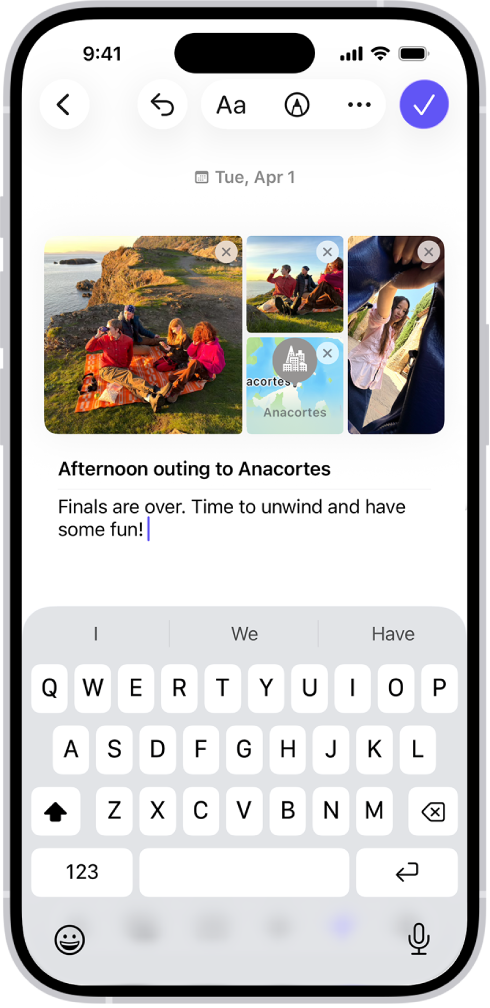
Apple Journal can offer suggested moments drawn from your activity, and you can also start an entry yourself. Its current listing includes voice transcription and drawing, including Apple Pencil on iPad. Language, region and system requirements affect availability. Apple Journal listing.
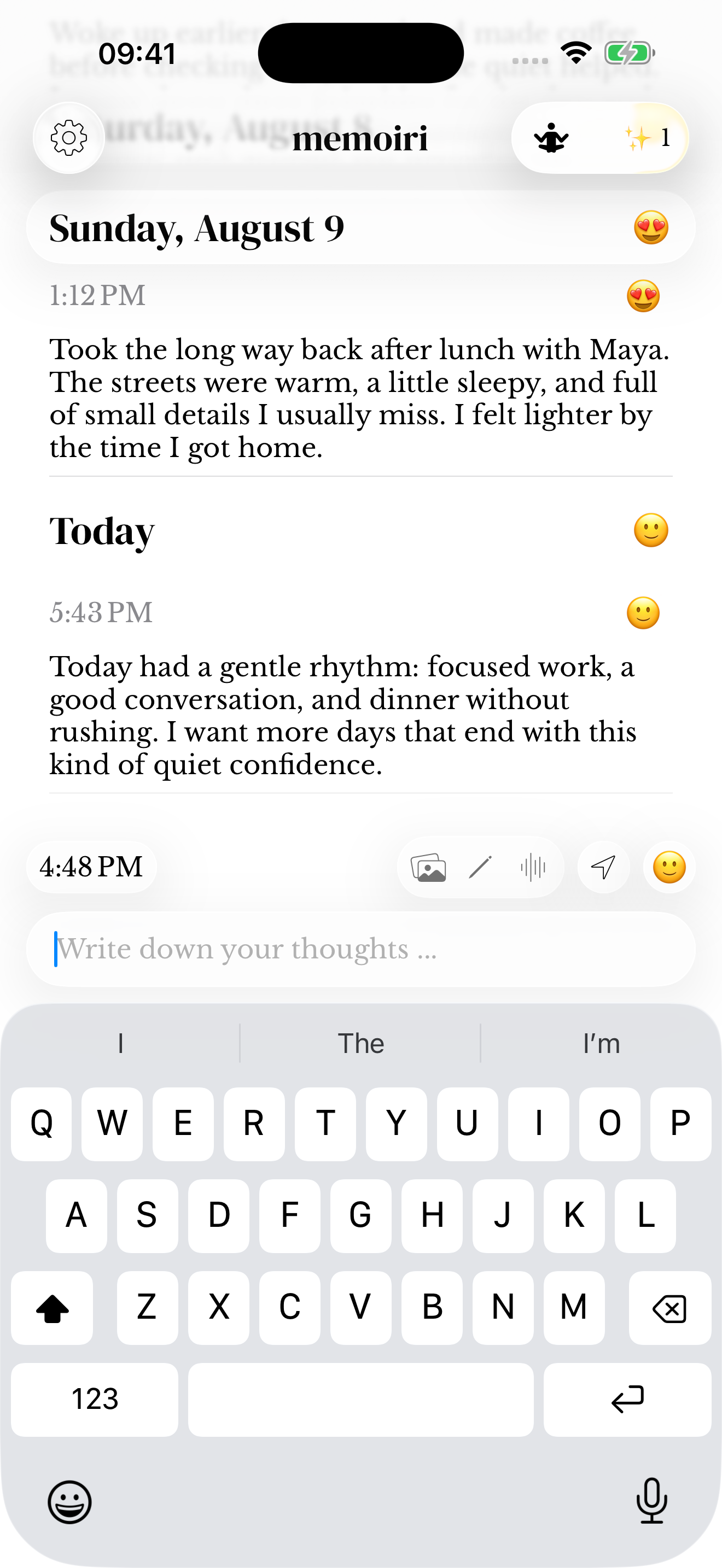
memoir’s composer sits beneath a timeline of saved thoughts. Use it for a sentence, an audio memory or a mood, and add photos or sketches with memoir+. Its Watch companion offers another place to begin a memory when you do not want to reach for the phone.
Writing an entry in each app. These images show different sample entries and device views; they illustrate the controls, not the results of an identical test.
Reflect: activity insights and the story in your entries
Apple Journal includes Insights, streaks and state-of-mind logging. These can help you return to a writing habit and see when you have written. Apple Journal listing.
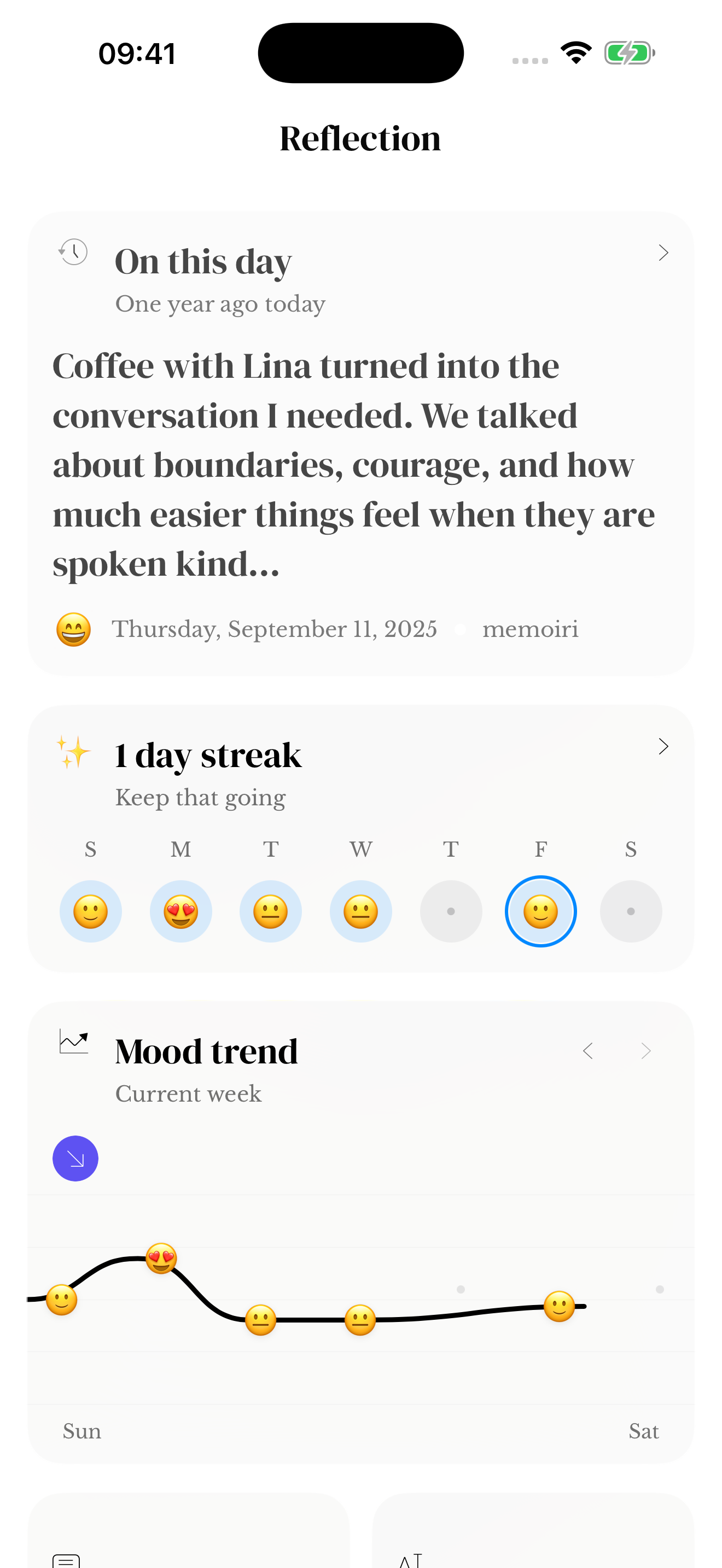
memoir’s reflection includes moods and past memories. memoir includes recaps and connections grounded in your saved entries, such as recurring people or themes. Those links give you a route back to the original moment, even when you have forgotten to look for it. memoir App Store listing and version history.
Version 2.8 also adds private personal prompts based on earlier memories, with the supporting entry available without leaving your draft. These prompts use saved context; they do not read another person's intentions or predict what will happen. Published release notes.
Find: a date on the calendar or a phrase in your mind?
Apple’s guide describes entering search text, choosing categories such as photos or drawings, and opening a day in the calendar. Apple Journal user guide.
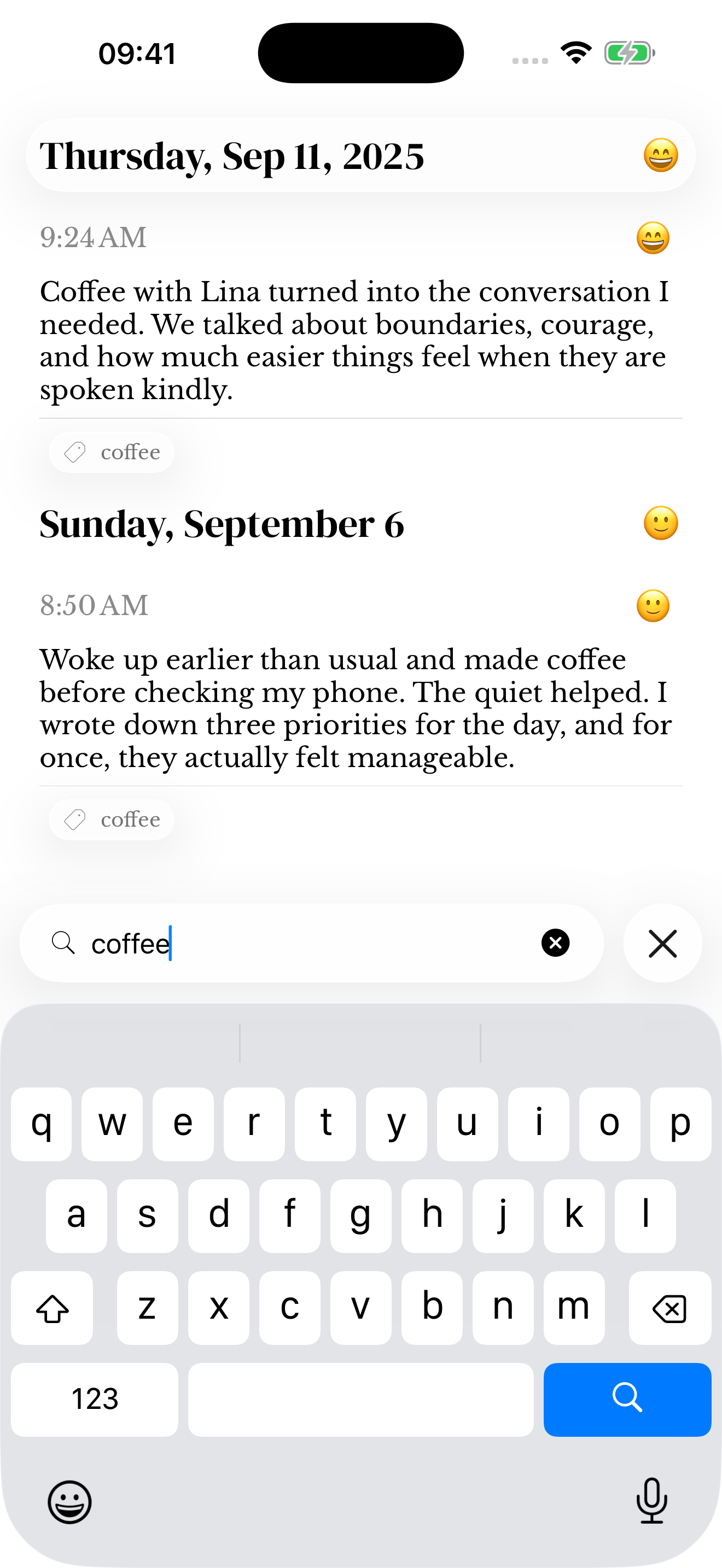
memoir supports words, dates, moods, people, places and media filters. For a date-and-media search, “photos last month” combines the kind of memory with when it happened. You do not need to remember a title or exact day. Results still depend on what you saved or the app recognized. Read the Search guide.
Is there a reason to pay when Apple Journal is free?
Stay with Apple Journal if it already does what you need. Photos, voice and drawing alone are not reasons to switch. Choose memoir for its wrist capture and the way it connects and retrieves your saved moments; choose memoir+ if you also want its photo, sketch and iCloud workflow.
US dollars, checked October 14, 2026. Storefronts, taxes and offers can change the checkout price. Monthly and annual figures below describe their actual billing period, not an estimated monthly equivalent.
| Plan decision | memoir | Apple Journal |
|---|---|---|
| Published price | Free writing, moods and voice. memoir+ is optional; check its current local plans and billing periods in the purchase screen before subscribing. US App Store. | Free. No Journal subscription listed. US App Store. |
| Photo and sketch saving | Requires memoir+. | Included on supported devices. |
Apple lists Journal data as end-to-end encrypted in its iCloud security overview. memoir documents local storage by default, optional iCloud sync and app locking; we do not claim the two implementations have identical security guarantees. Apple iCloud data security overview; memoir privacy policy.
Can I move my Apple Journal entries into memoir?
Apple provides an export containing entries and their media, as well as print/PDF options. memoir currently documents importing compatible memoir backups, not Apple Journal exports. Keep your Apple archive if you decide to start fresh in memoir. Apple Journal export and printing; memoir import guide.
If memoir fits your routine, start with one short entry and try finding it again tomorrow. Explore Apple Journal if its approach suits you better.

Common questions
Is Apple Journal free?
Apple lists Journal as a free app. Its documented features include media and writing across supported iPhone, iPad and Mac devices. memoir is free to download too, with richer media and optional iCloud sync available through memoir+.
Why use memoir instead of Apple Journal?
Try memoir if its timeline, paired Watch capture and prompts linked to your own saved memories solve a need in your routine. Stay with Apple Journal if its suggestions, media and device support already do what you want. There is no need to change apps just for a feature both provide.
Can both apps record voice and add photos?
Both support voice and photos. memoir voice capture is available free, while saving photos requires memoir+. Apple Journal includes photos and audio on supported devices; transcription and other features depend on availability.
Can I import Apple Journal into memoir?
Apple provides exports, but memoir currently documents restoring compatible memoir backups rather than importing Apple Journal. Keep the Apple export as a separate archive if you begin a new journal in memoir.
Sources and how we compared
Official documentation checked October 14, 2026. Images are identified in their captions. We have not tested comparative speed, reliability, security or a complete migration. Editorial policy.