


Choose Day One if browser writing, shared journals or optional AI tools fit your routine. Choose Diarium if you prefer one-time purchases for native apps and sync through your own cloud account. Start with the devices you need, then compare the paid features and export format.
This comparison of documented features is published by memoir, a journaling app developer. Our recommendations are editorial judgments, not a hands-on ranking.
Which should you choose?
Choose Day One if…
You want a dedicated journal with web access, optional guided AI tools and established book-printing and export workflows.
Choose Diarium if…
You prefer your own cloud storage and paying once for Pro on each platform you use. Native desktop and mobile apps cover your routine.
| Your decision | Day One | Diarium |
|---|---|---|
| Access | Mobile, desktop and web; features vary by platform. | Windows, Android, iOS and macOS native apps. |
| Paid plans | Silver and Gold annual plans. | One-time Pro purchase per platform; paid Windows app includes Pro. |
| Sync | Day One Sync; multiple-device access is in paid plans. | Optional Pro sync using OneDrive, Google Drive, Dropbox, iCloud or WebDAV. |
| Export decision | PDF, JSON, text and CSV availability depends on platform. | Restorable database backup is separate from document export. |
Sources: Day One plans, Day One export formats by platform, Diarium Pro FAQ and Diarium sync FAQ.
Writing and media: what the free versions include
Both apps accommodate writing with media. Day One’s free Basic plan permits one photo per entry; audio, transcription, drawing and expanded media are in paid plans. Diarium also reserves unlimited attachments and certain integrations for Pro. Day One plans; Diarium Pro FAQ.
For your trial, use the same photo and a few sentences. Notice how the editor handles adding a second thought later. That small routine is more useful to evaluate than an elaborate entry you would rarely make.
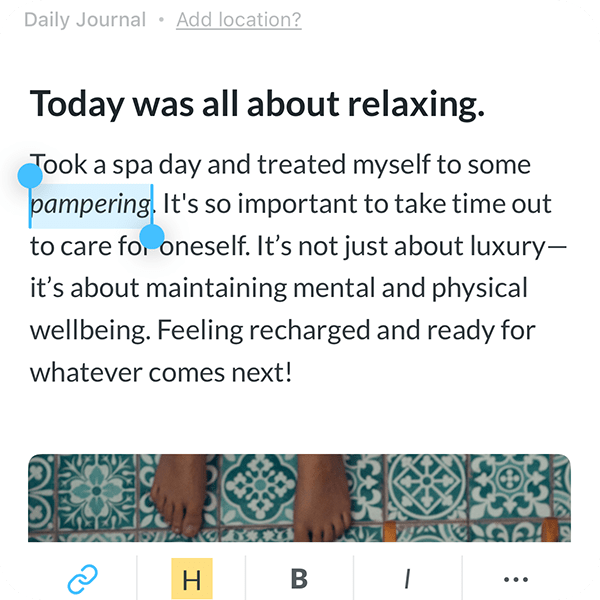
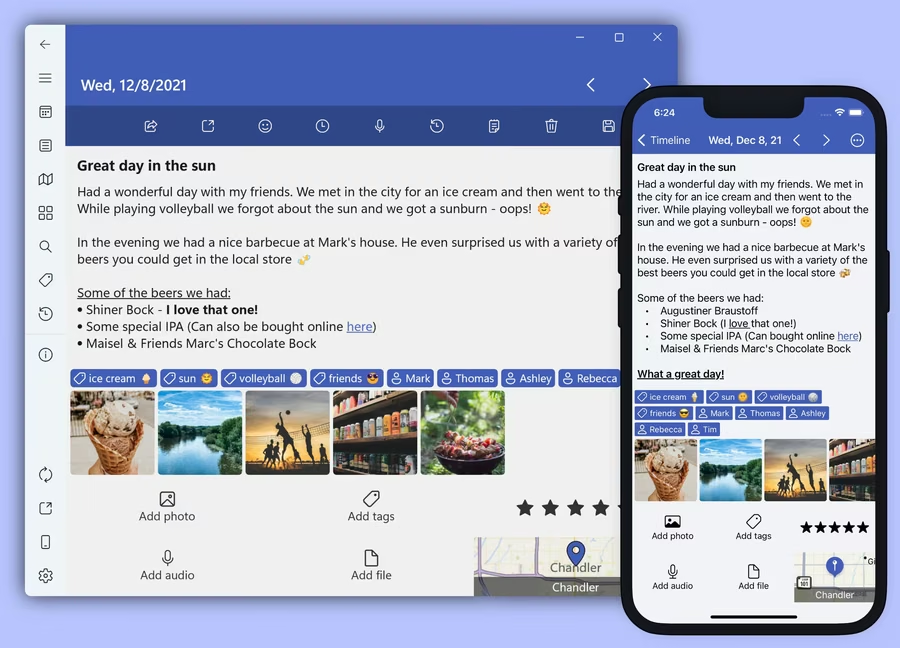
Writing an entry in each app. These images show different sample entries and device views; they illustrate the controls, not the results of an identical test.
Revisiting: visual browsing or guided AI
Both products have ways to revisit past dates and browse a journal visually. Day One’s illustrated timeline separates List, Calendar, Media and Map; Diarium offers timeline, calendar, gallery and map views. Day One features; Diarium features.
Day One also documents optional AI reflection tools. For server-based AI, relevant journal content is temporarily decrypted on the device and transmitted for processing after consent; this is separate from encrypted journal sync. Read the AI processing explanation if this is part of your reason to choose it.
Search: on your phone and computer
Day One supports text search and filters, with different controls across platforms. Its web and Windows interfaces offer filters for items such as tags, places and weather. Diarium describes keyword/tag search and date/location browsing. Day One search guide; Diarium features.
Cost: subscription or a purchase for each platform?
US dollars, checked October 14, 2026. Storefronts, taxes and offers can change the checkout price. Monthly and annual figures below describe their actual billing period, not an estimated monthly equivalent.
| Plan decision | Day One | Diarium |
|---|---|---|
| Published price | Basic $0. Silver $49.99/year; Gold $74.99/year on the published plans page. Check checkout for other billing options. US App Store; plan terms. | Pro $14.99 once for iOS and $14.99 once for macOS. Separate platforms: $29.98 for both. iOS store; Mac store. |
| Sync across both devices | Silver or Gold subscription. | Pro on each platform, using your own supported cloud account. Cloud-provider storage limits still apply. |
For iPhone and Mac writing with sync, Diarium’s two Pro purchases total $29.98 once at these prices. Day One Silver is $49.99 each year and includes a different bundle of services. Windows and Android prices are separate and are not included in this example.
Can you move an existing Day One journal?
Diarium lists Day One among supported imports. Day One’s JSON export can include media, while PDF serves a different, readable-copy purpose. Export a small sample first and inspect dates, photos and recordings after import. We have not performed an end-to-end migration test for this comparison. Diarium import guidance; Day One export formats by platform.
If Day One’s main appeal is everyday iPhone capture, the memoir vs Day One comparison explains another option, including its narrower platform support and backup limitations.
Common questions
Is Day One or Diarium better?
Choose Day One for its browser access and journal services, or Diarium for native apps and a one-time purchase model. Both can hold an everyday journal. Test saving, finding and exporting the same sample entry before deciding.
Is Diarium a one-time purchase?
Yes. Pro is a separate one-time purchase for each platform. At the US prices checked here, iOS and macOS Pro are $14.99 each, or $29.98 together. That does not include Windows, Android or additional cloud storage.
What can I use without paying?
Day One Basic includes unlimited text entries, search and one photo per entry, with a one-device access limit in the published plan table. Diarium has a free edition with Pro features available to try after installation. Compare your second-device and attachment needs before assuming the free editions cover them.
Does Diarium have a web editor like Day One?
Diarium offers installed apps rather than a browser journal editor. Day One documents web access. If you regularly write on a computer where you cannot install software, this difference may decide the choice.
Can Diarium import a Day One journal?
Diarium documents Day One import. Use the supported structured export rather than assuming a printable PDF is an import format. Keep your original archive and inspect a small imported sample before moving everything.
Sources and how we compared
Official documentation checked October 14, 2026. Images are identified in their captions. We have not tested comparative speed, reliability, security or a complete migration. Editorial policy.